PPD (Visio) · vsdx files
Import recognized obstacles from .vsdx and build on your existing layout. Review and refine each imported project.
For professional course designers
Position obstacles, refine riding lines and check distances to scale. Print clear course plans for riders.
No credit card required for the free trial.
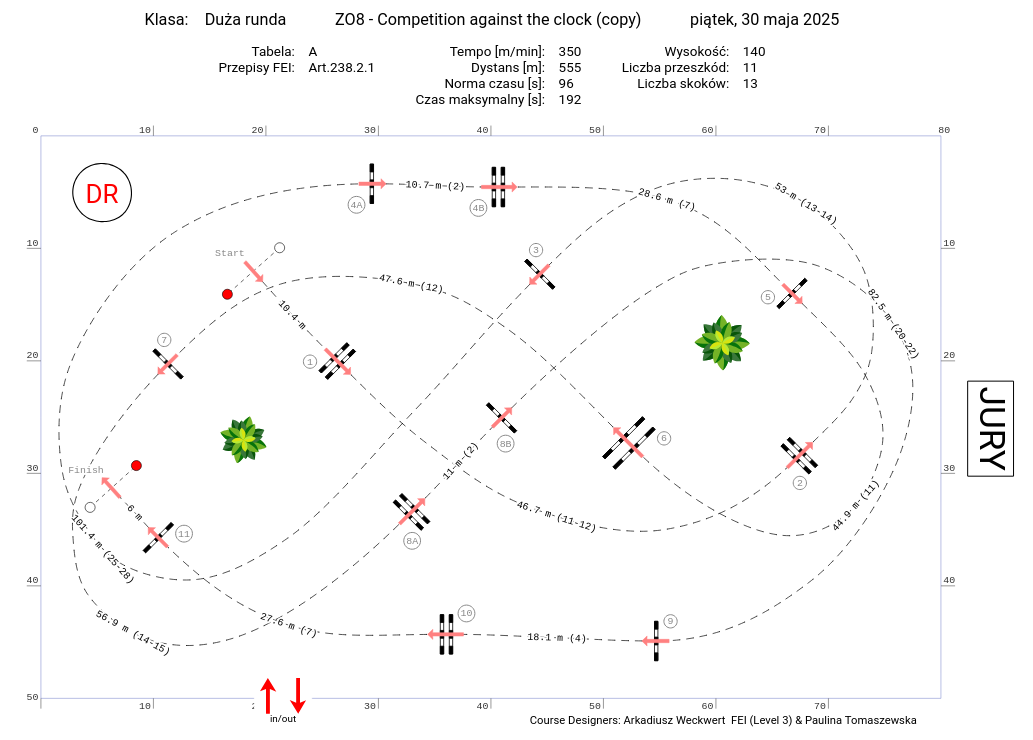
You do not have to start from a blank arena.
Design
Place and align obstacles, develop combinations and adjust lines. Work to scale with measurements you can use later in the arena.
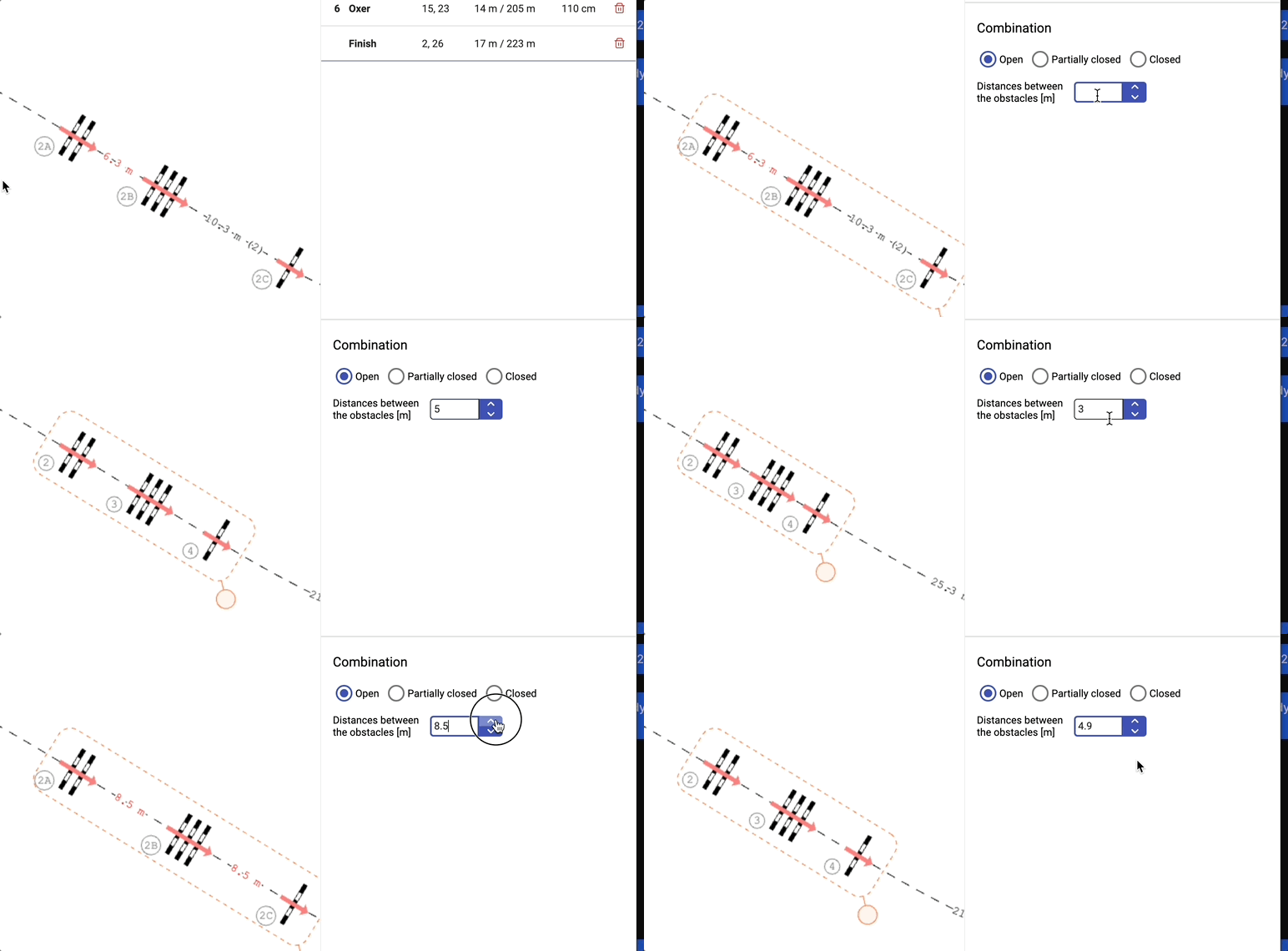
Align selected obstacles into a line; a combination is recognized when alignment and distances meet your configured criteria. Start from double or treble combination templates in the toolbox, then move or rotate the grouped elements together.
Read: alignment and combination templates →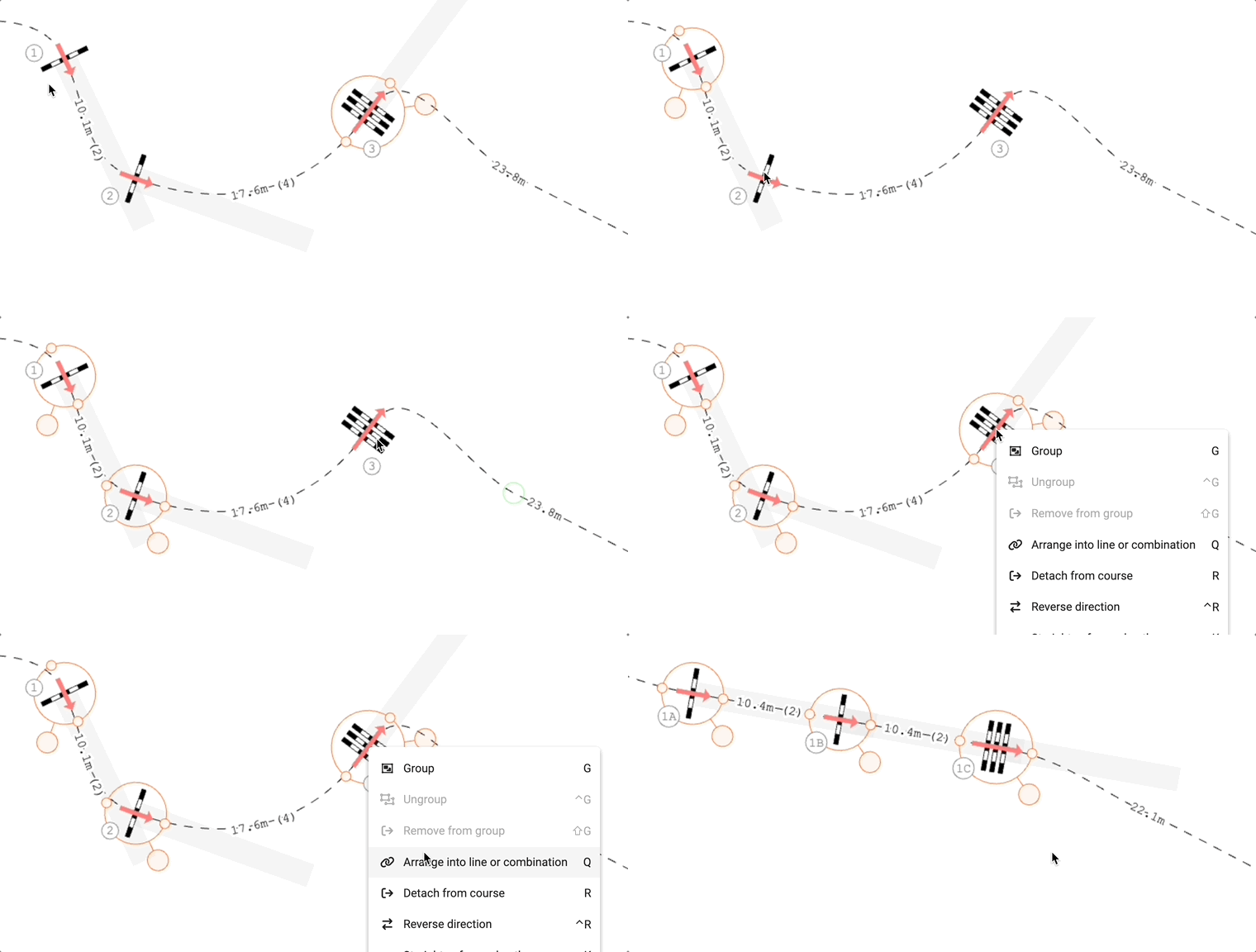
Set up your arena in meters or feet and draw a custom outline when a rectangle is not enough. Keep fixed objects as part of the arena so the same venue is ready for the next course layout.
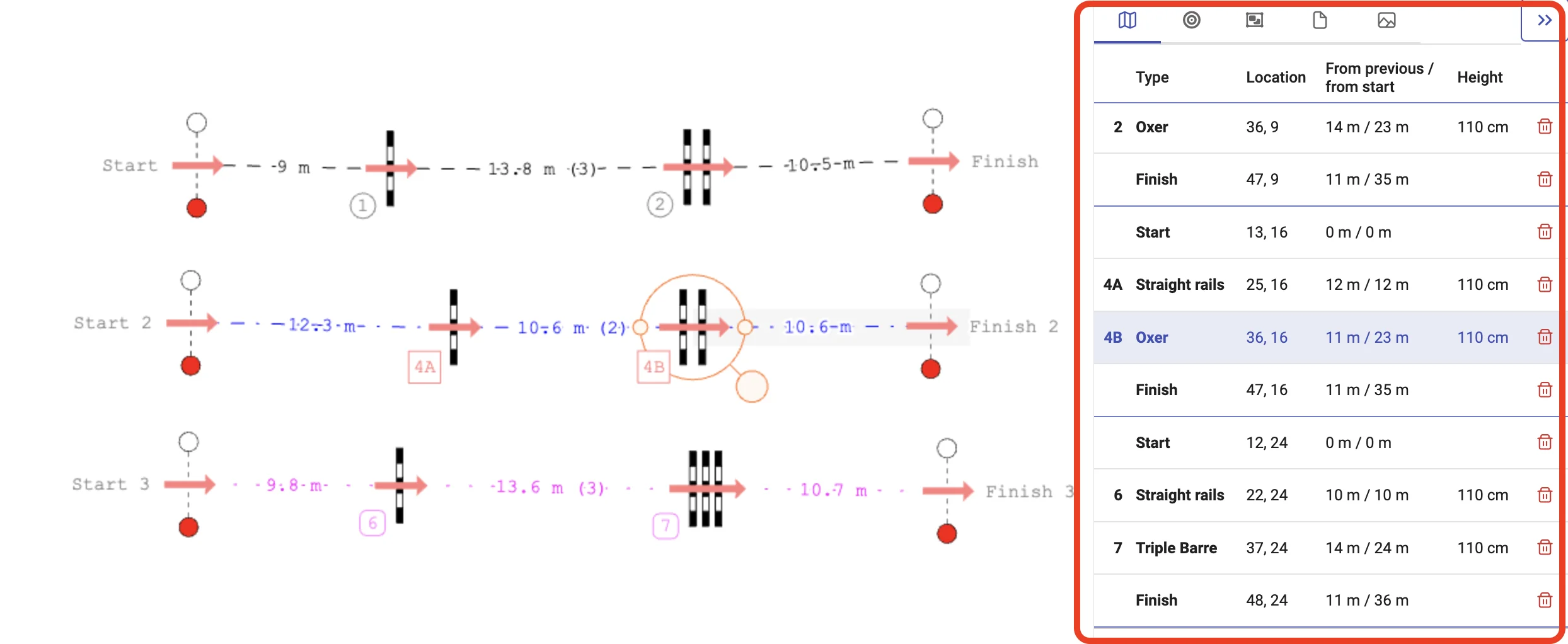
Adjust obstacle positions while related distances and stride counts stay in view. Follow automatic numbering and the live competition table: course length, speed and time allowed. Use the tape measure for an additional distance check.
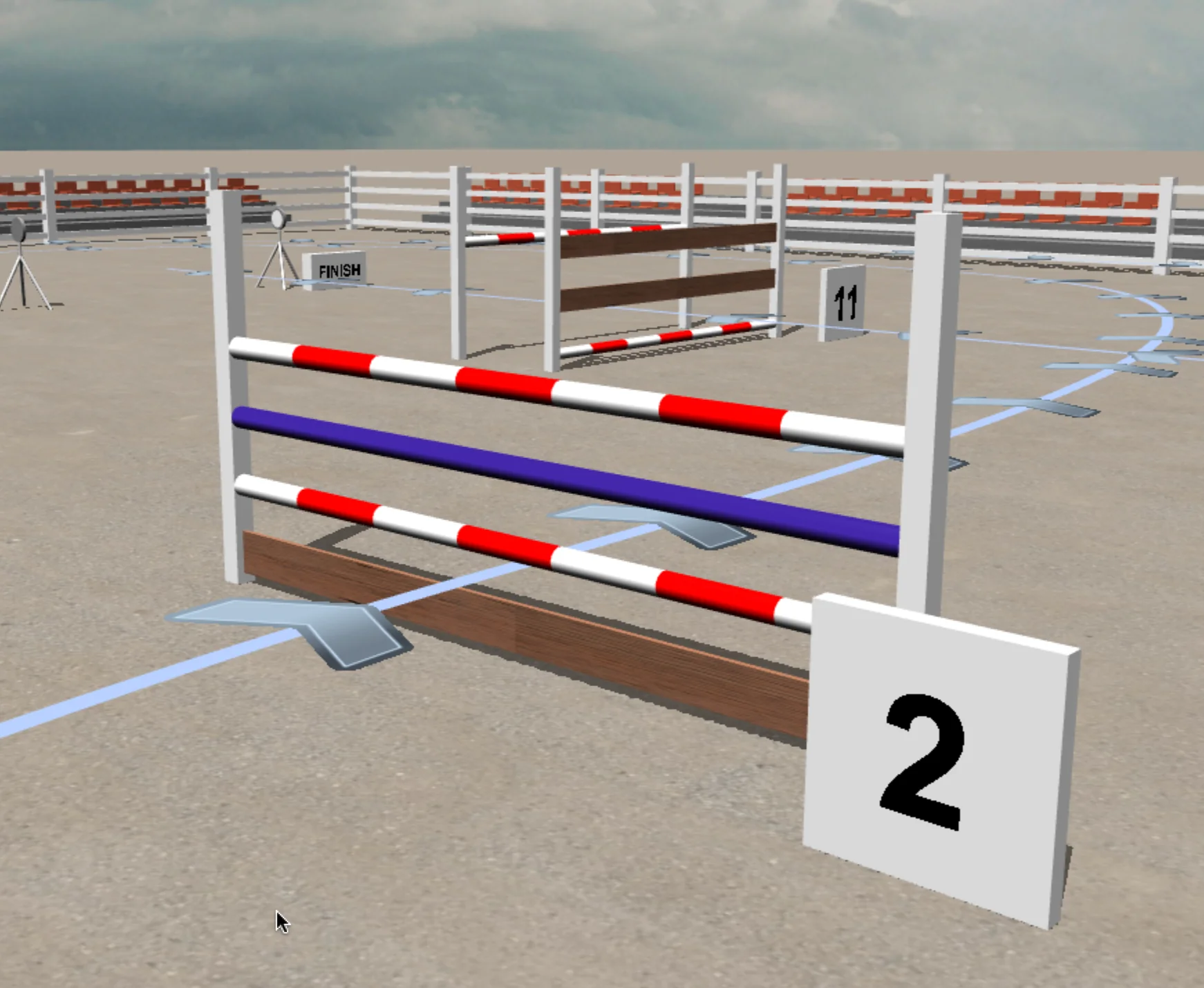
In the 3D simulation, walk along approaches, inspect lines between obstacles and compare the layout from above. Move the camera freely or follow the connected route with automatic views before setting out the course.
When you want to present the course, export a film with presets for YouTube, Shorts or Reels and add authorized artwork to arena-fence banners. The organizer and media workflow covers formats and production options.
From design to arena
Turn precise positions and dimensions into practical printouts: a plan for riders, setup measurements and a list of materials for the crew.
Give riders a course plan showing the obstacle layout, route and competition information — as a printout or PDF.
For precise setup in the arena, add a masterplan and tables of obstacle positions and dimensions with Masters.
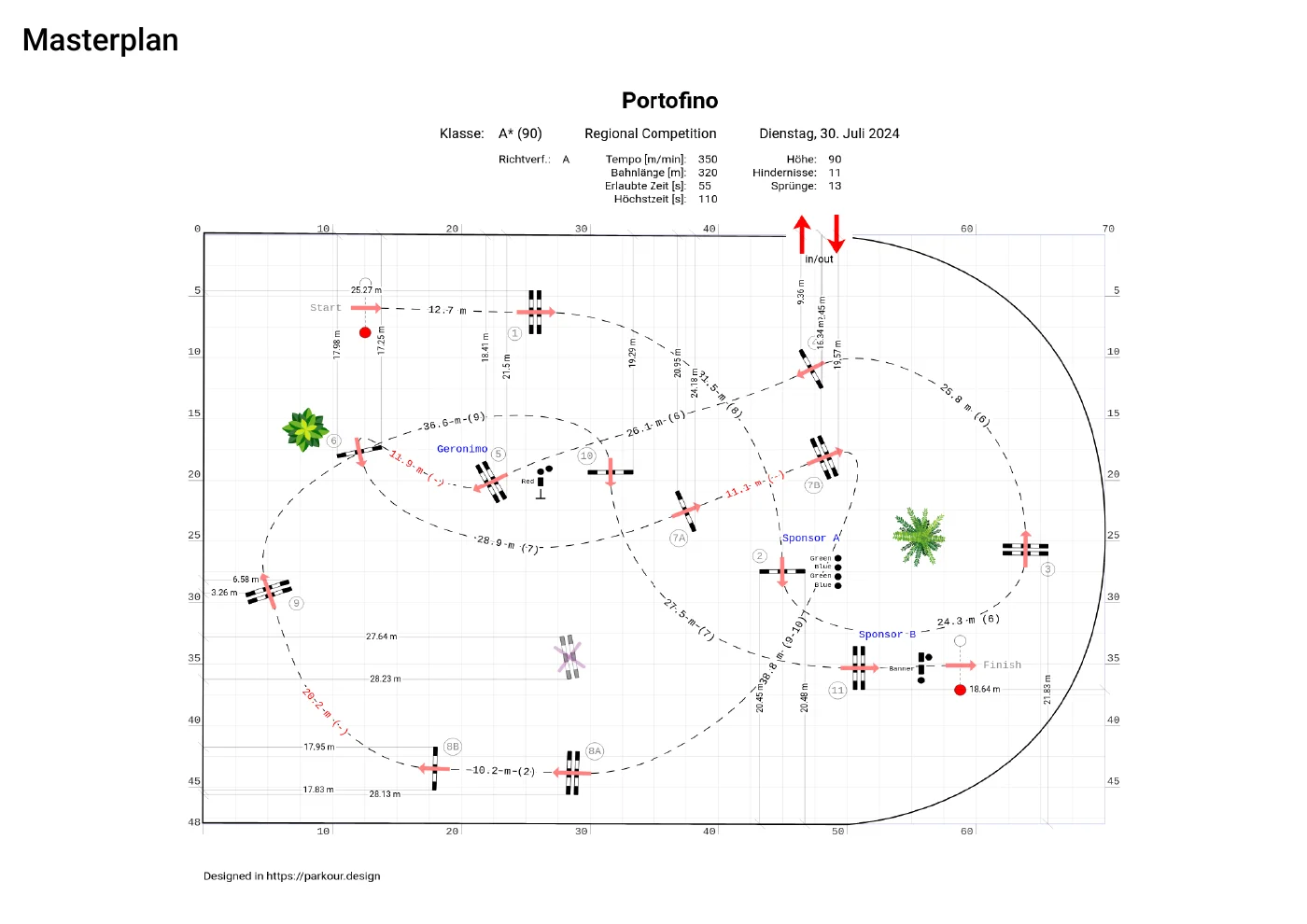
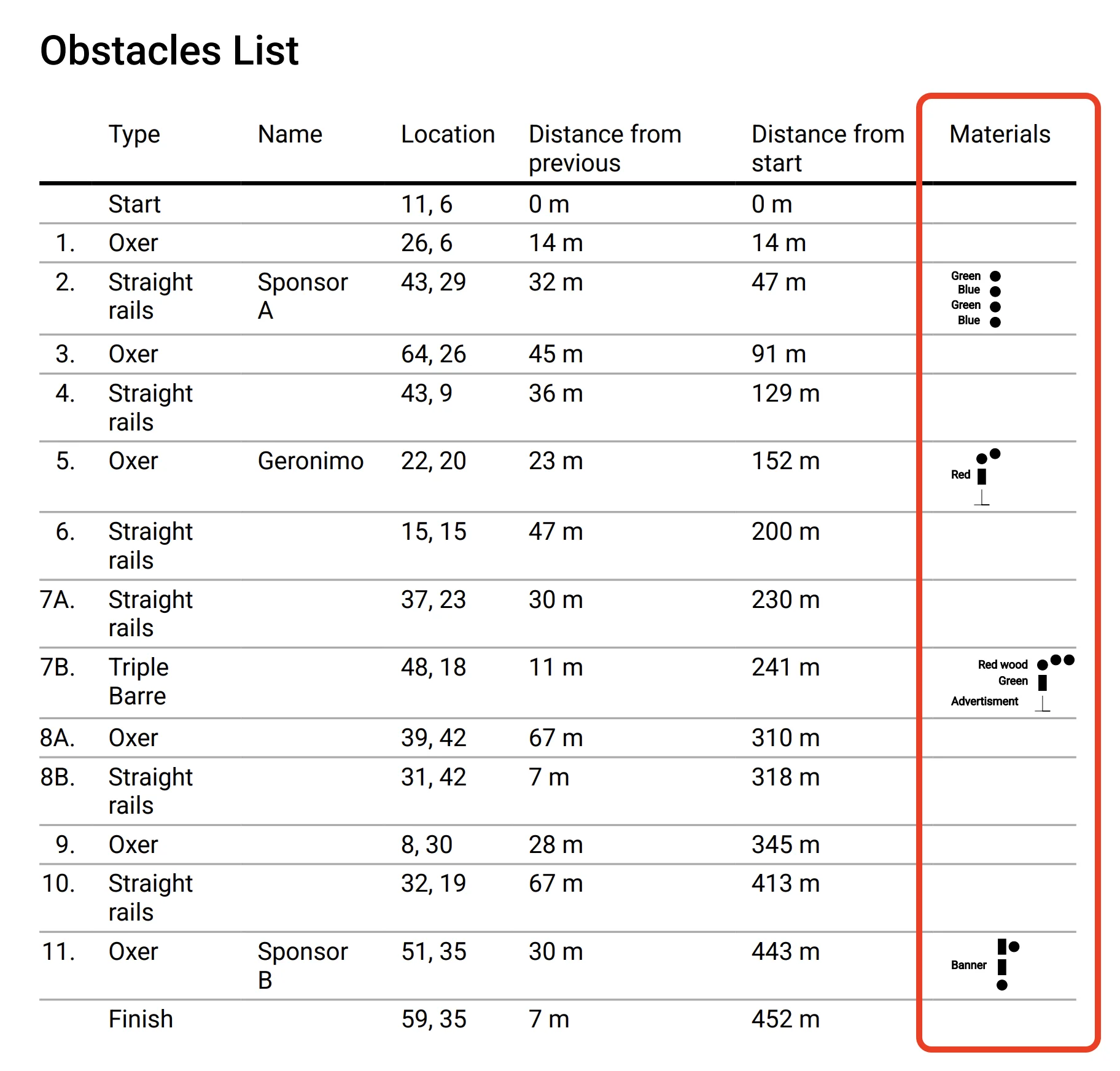
Include obstacle illustrations and a materials list in the printed documentation, so the crew can see which elements and colors to prepare for the course.
Available on the Masters plan.
16 rule sets · 11 countries
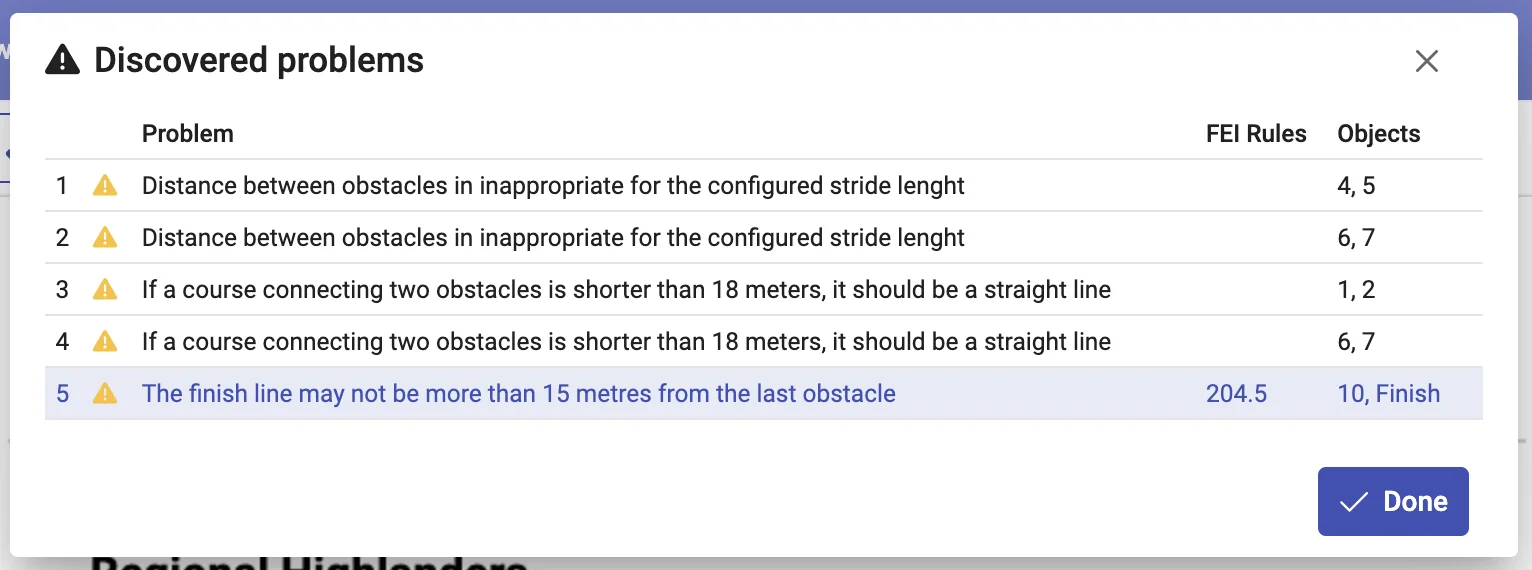
Check completeness and supported class requirements while you edit. Messages point to the objects and rule references involved — useful for a second look, and especially helpful while learning course design.
Missing or inconsistent course structure can affect reliable validation and statistics. Fix these issues first.
Review identified rule or class violations and design-practice findings, with references where available.
No credit card required for the free trial.
Both plans include competition design, validation and standard course-plan printing. Choose Masters for the additional setup and offline tools.
14.99 EUR per month
149.99 EUR per yearSave over 15%
24.99 EUR per month
249.99 EUR per yearSave over 15%
Choose monthly or annual billing. Payments are handled by Paddle; parkour.design does not store your card details. Listed prices exclude VAT, which is calculated at checkout according to your country.
Yes. Open Profile → Subscription plan and use the Paddle Customer Portal to cancel. Access continues until your subscription ends. Your saved designs remain stored and become available again when you reactivate your subscription.
The 14-day trial expires without you needing to cancel it. Your saved arena layouts and course designs stay in the database. An active subscription is needed to continue designing; your saved projects become available again after you subscribe.
Your designs are private: only the author can access them in their account. You can sign in with the same account on different devices to access your own projects.
The application runs in a browser and supports touch controls, but compatibility and comfort depend on the device. Older tablets may not have enough memory. For 3D we recommend a desktop or laptop: mobile devices may run slowly, become hot or close the browser tab. A keyboard and mouse provide the full navigation and camera-capture workflow.
Yes. Work in meters or feet. The competition table language can be selected independently of the application interface language, so you can prepare a plan for a competition in another country without changing your working language.
Use the built-in chat or contact us by email. Describe what you were trying to do and include your browser, device and a screenshot if relevant.
parkour.design prepares course plans and setup documentation, but we cannot guarantee acceptance at every competition. Check the required information and format with the judges or technical delegate for your event. Validation is not an official approval or safety certificate; the course designer remains responsible for assessing the course and actual arena conditions.
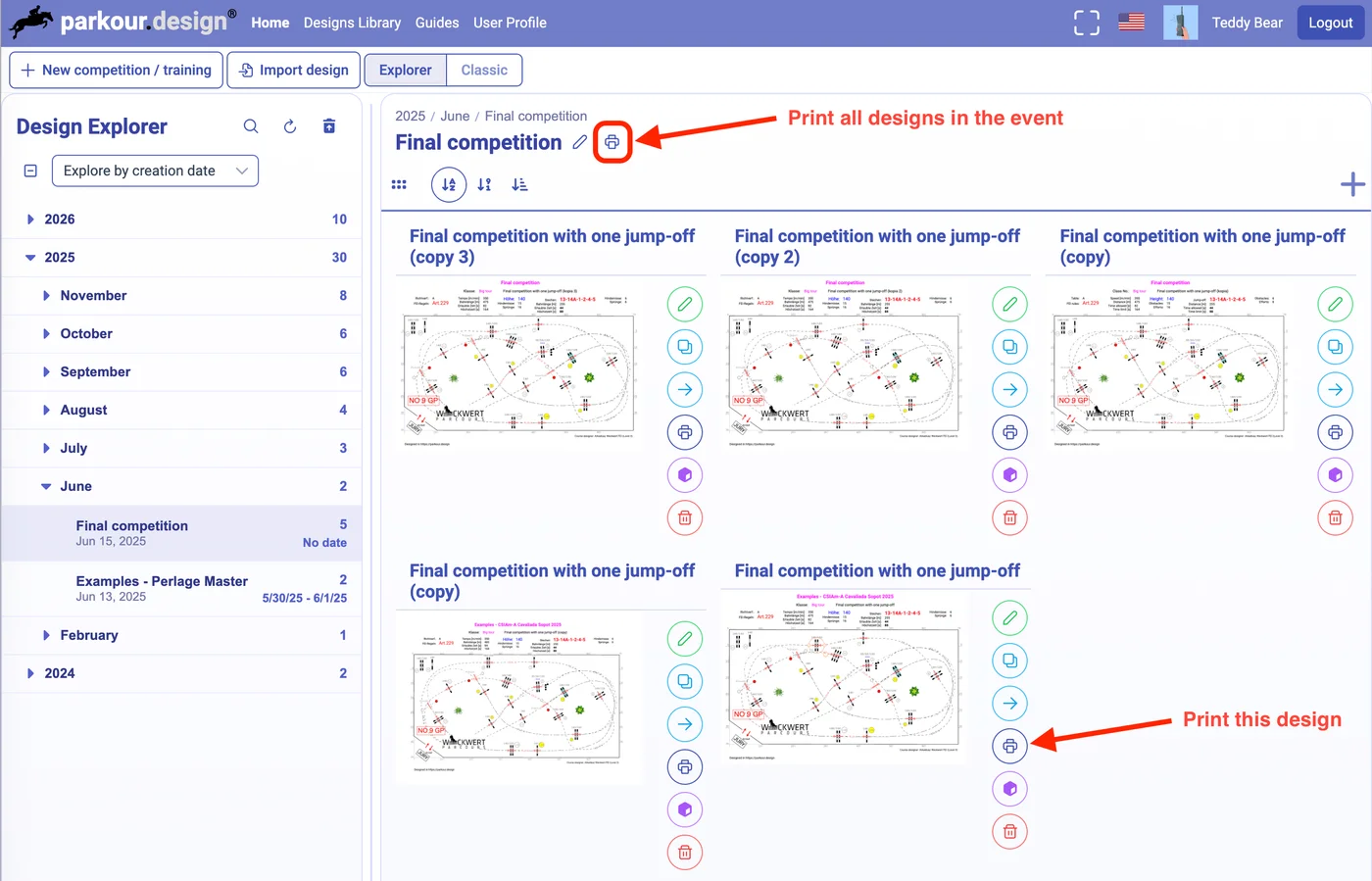
Yes. An Event groups related competition designs so you can find and manage them together. You can clone a design to prepare another competition and print all designs in the Event together from the Design Explorer. Each competition remains a separate design; this does not automatically plan arena changes between competitions.
No credit card required for the free trial.