Course, tracks and rounds
This guide describes competition projects: rounds, phases and jump-offs. Training sections do not require assignment to a competition round. For training, start with How to build a training exercise.
A competition course in parkour.design consists of several tracks (sometimes referred to as routes).
A complete track begins with a Start and ends with a Finish and has some obstacles between them. A special Finish/Start object can act as an end of one track and beginning of another. All these objects must be explicitly connected one to another to form the track.
Depending on the competition, a track can be one of the rounds, phases or jump-offs. The following options are supported:
- A primary round
- Two phases
- Two phases with jump-off
- A primary round with jump-off
- A primary round with two jump-offs
- Sections not belonging to any round
A primary round
This is simply one track Start → Finish.

Two phases
A track consisting of Start → Finish/Start → Finish. The track is interpreted as two rounds (phases): first phase from Start to Finish/Start and second phase from Finish/Start to Finish.

An example of a table for a two-phase course (different track than above):

Two phases with jump-off
A two phases track that has additional Start → Finish track acting as a jump-off.
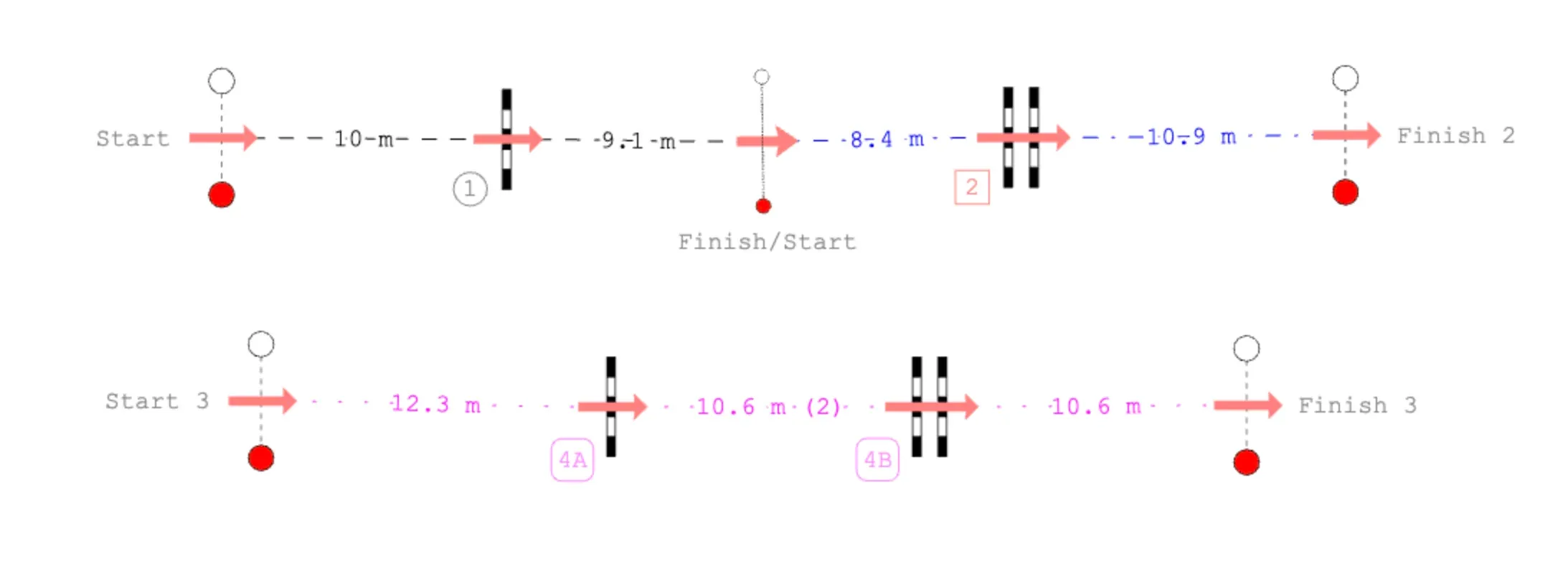
An example of a table for a two-phase course with a jump-off (different track than above):

A primary round with jump-off
Two tracks Start → Finish where one track acts as a primary round and the other as a jump-off.
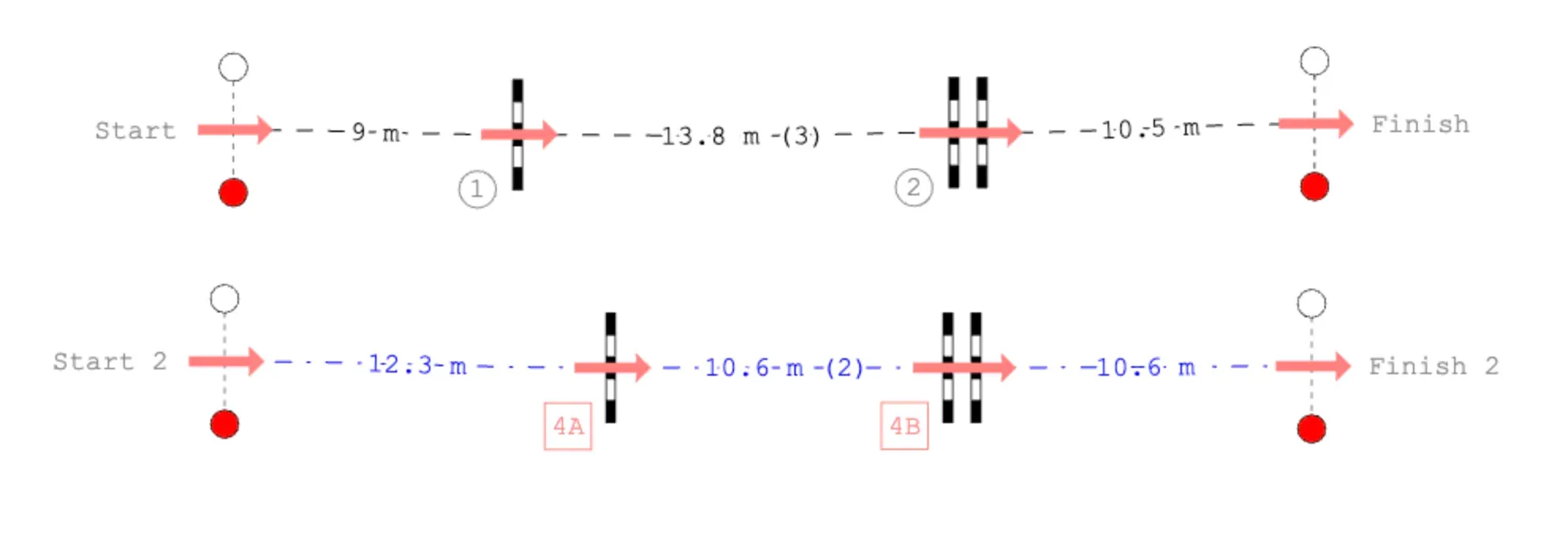
An example of a table for a course with one jump-off (different track than above):

A primary round with two jump-offs
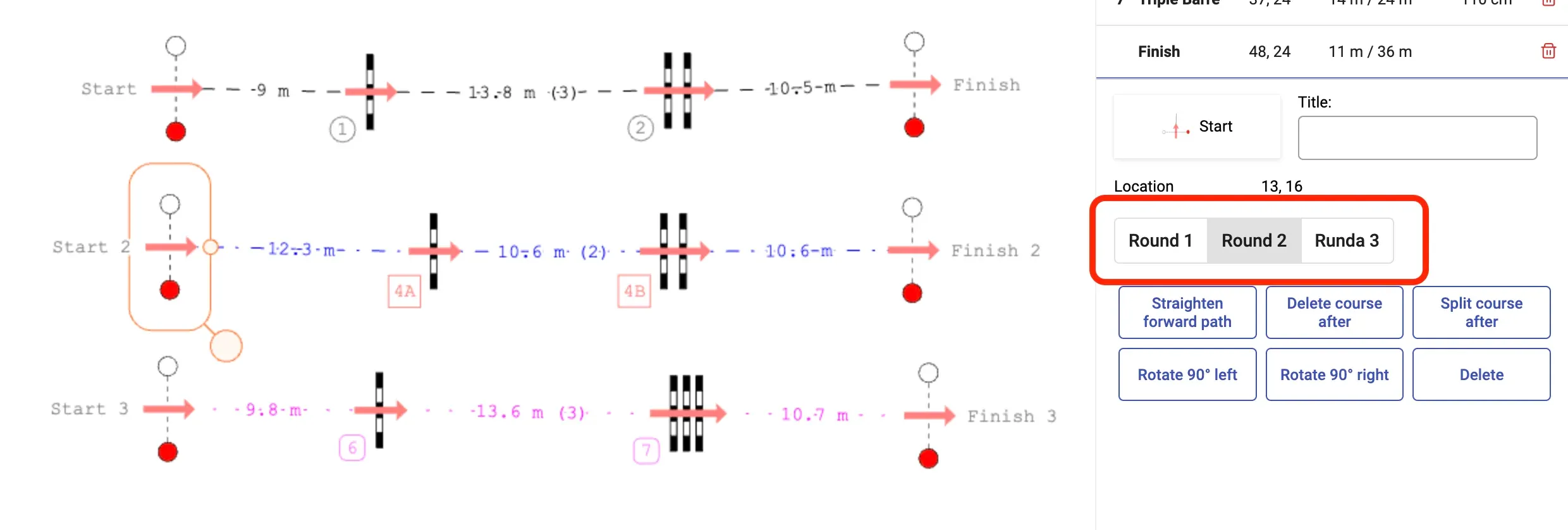
Three tracks Start → Finish where one track acts as a primary round and the two others as jump-offs.
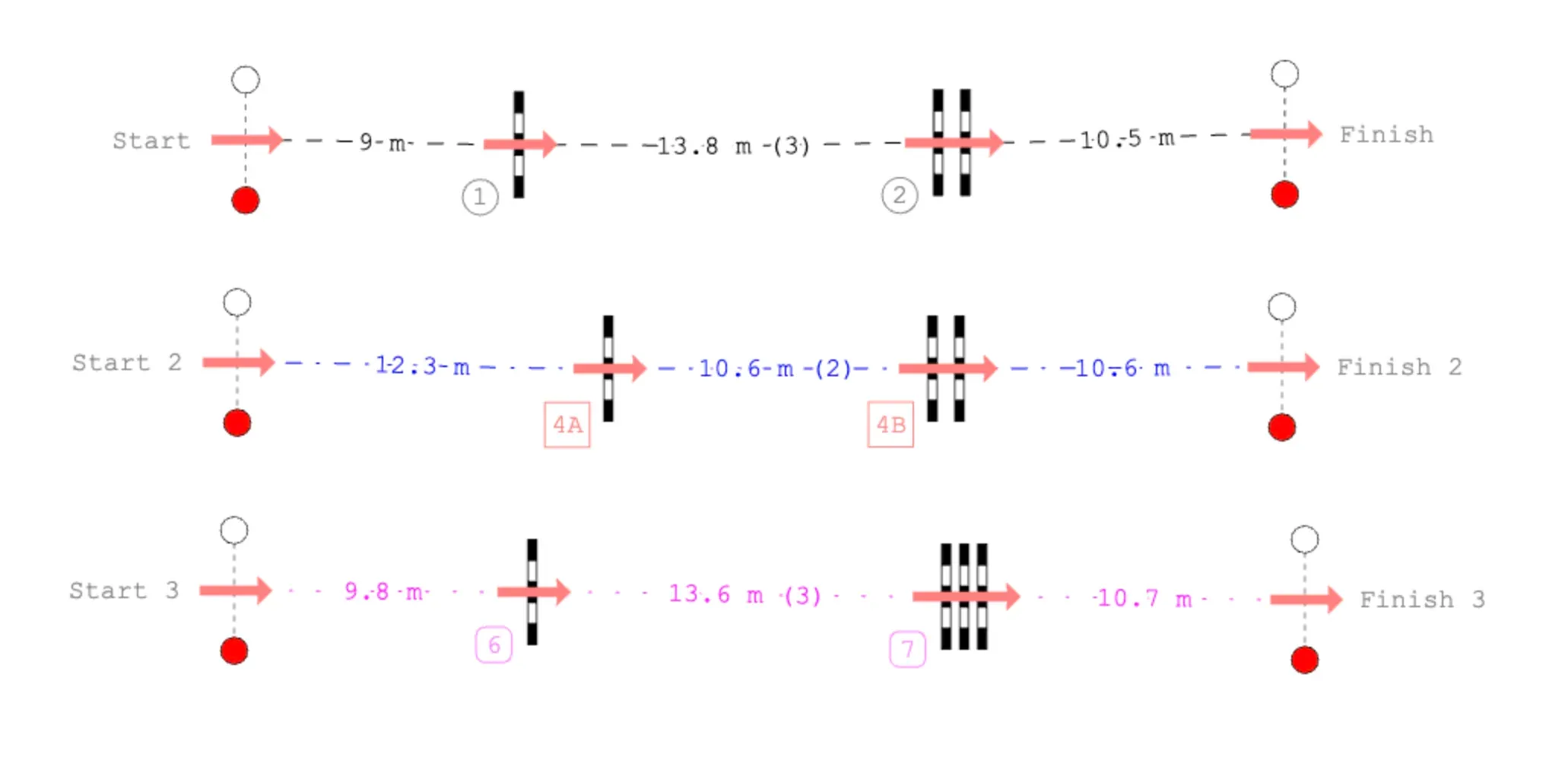
An example of a table for a course with two jump-offs (different track than above):

The Course tab in the object panel will show the order of obstacles from first Start to last Finish. The rounds will be separated by blue horizontal lines.
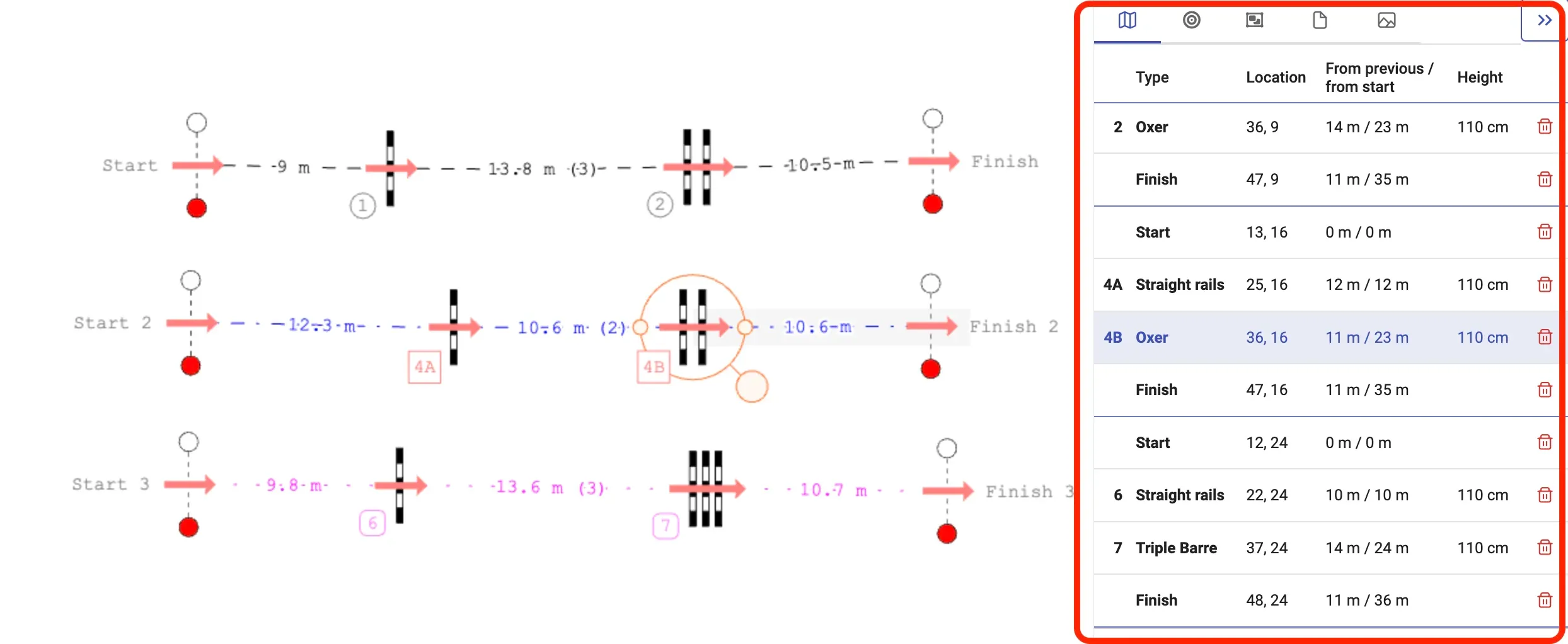
For jump-offs, the first Start that is connected to its track will become the primary round and then the jump-offs will be assigned in the order of Starts being connected to their tracks. The assignment to rounds (primary, jump-offs) can be later changed by using the round buttons in the object panel. Alternatively the Starts can be disconnected from their tracks and connected in the other order.
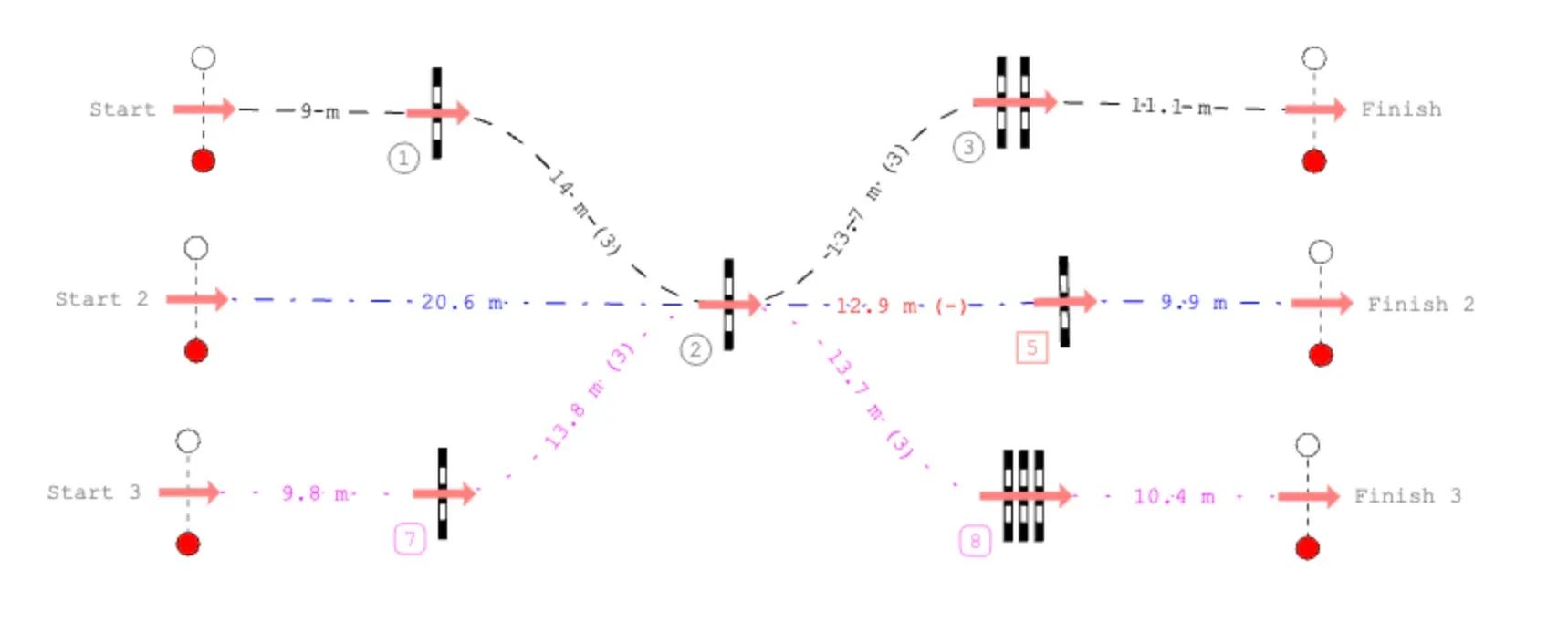
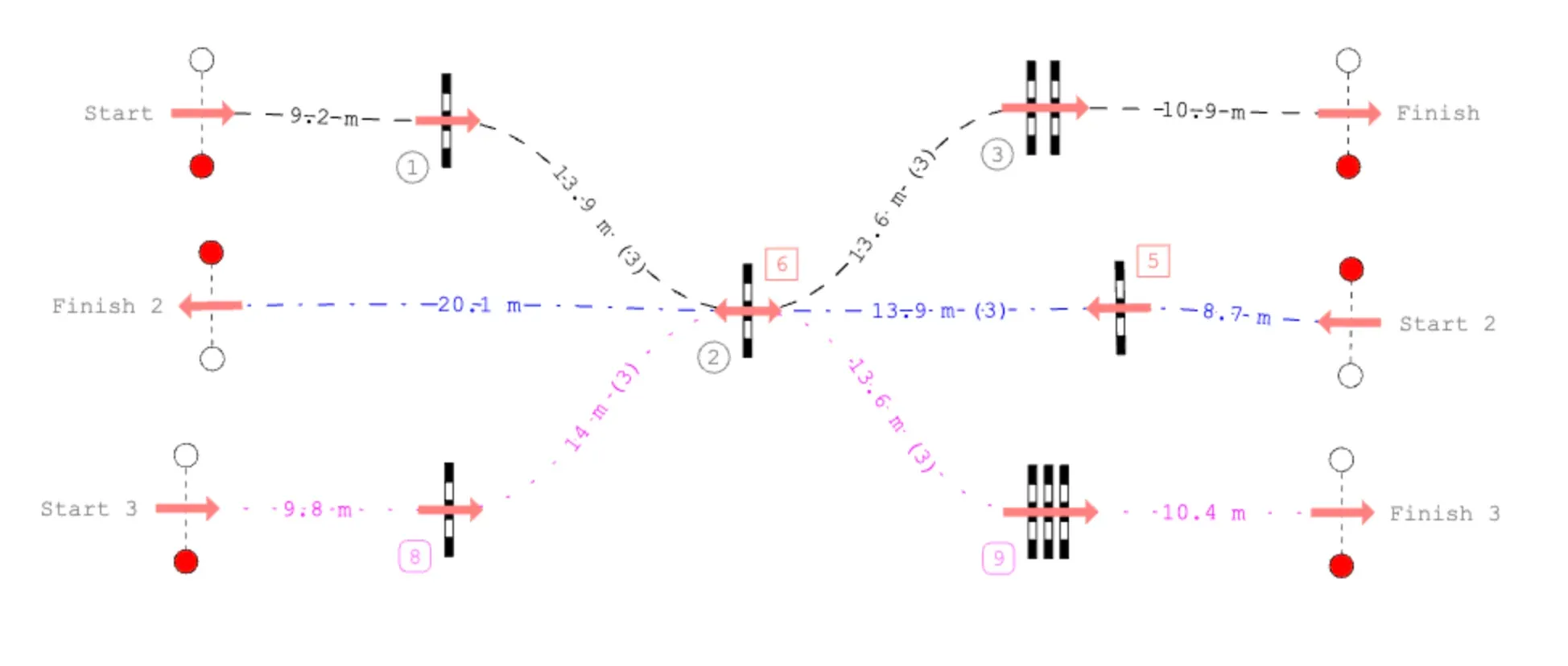
It is possible to lead a round’s track through any obstacles in any other or same round, given that an obstacle can be approach in one direction only from different rounds.
Sections not belonging to any round
In a competition project, a track not connected to a Start or Finish/Start does not belong to a round. It may be a working draft, but should be assigned to the intended round or removed from the final competition track. Competition validation flags these sections. This round-assignment check does not apply to Training projects, where separate sections and drawn riding lines can be part of the finished plan.
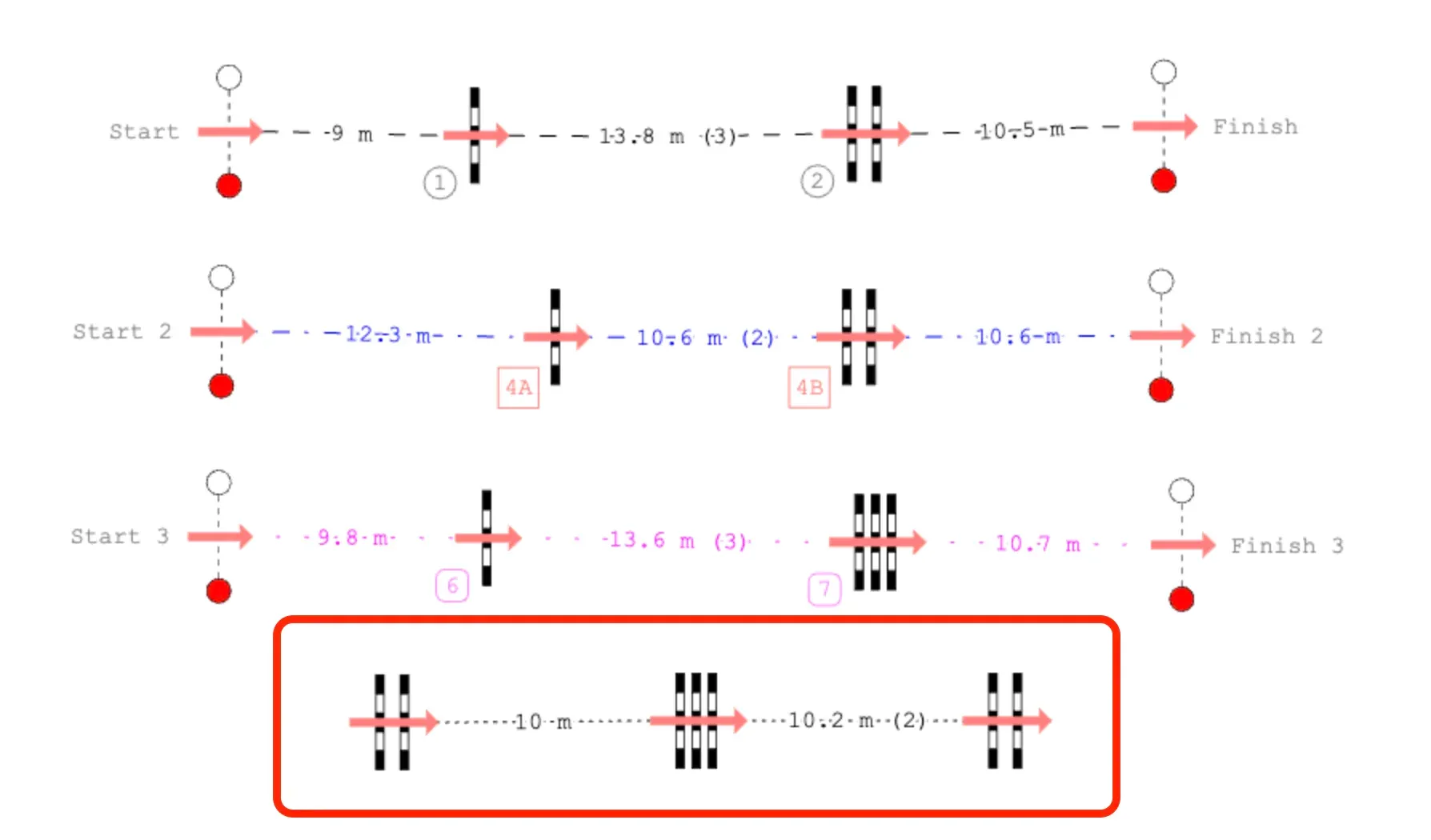
The patterns, widths and colors of each track can be configured in Display options (default key shortcut Shift-P).
A section that does not belong to any round can be only connected to its ends, not the middle obstacles.