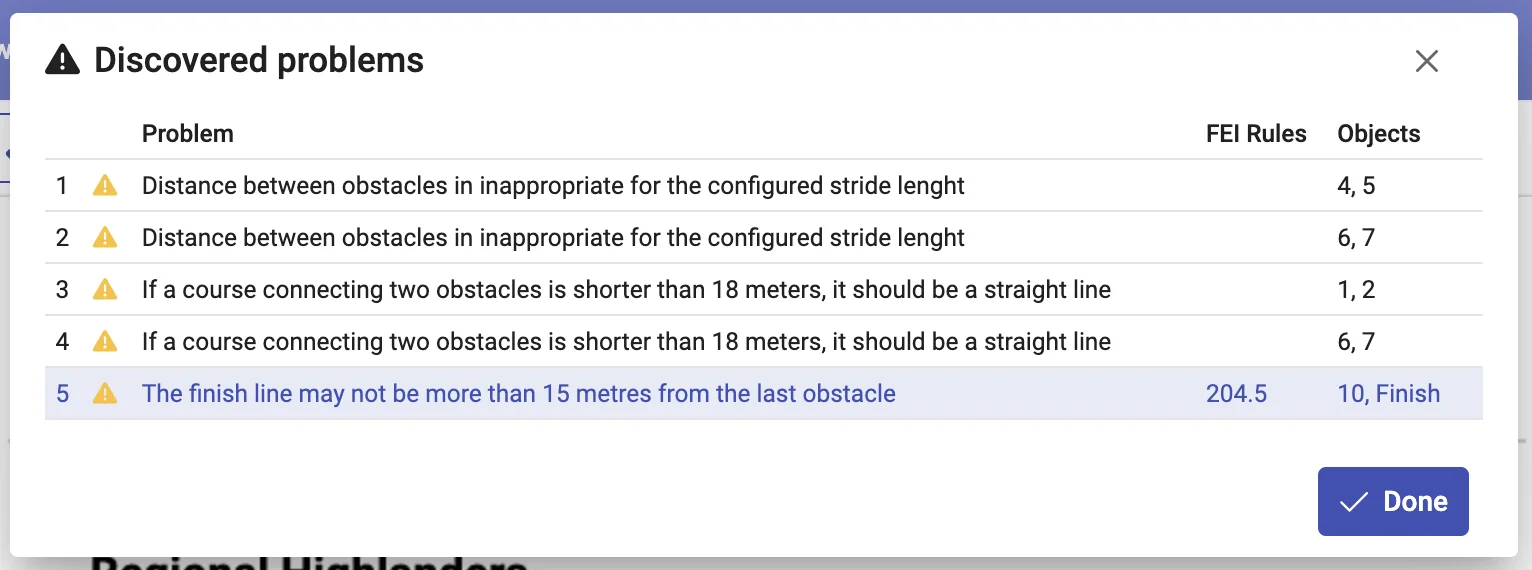
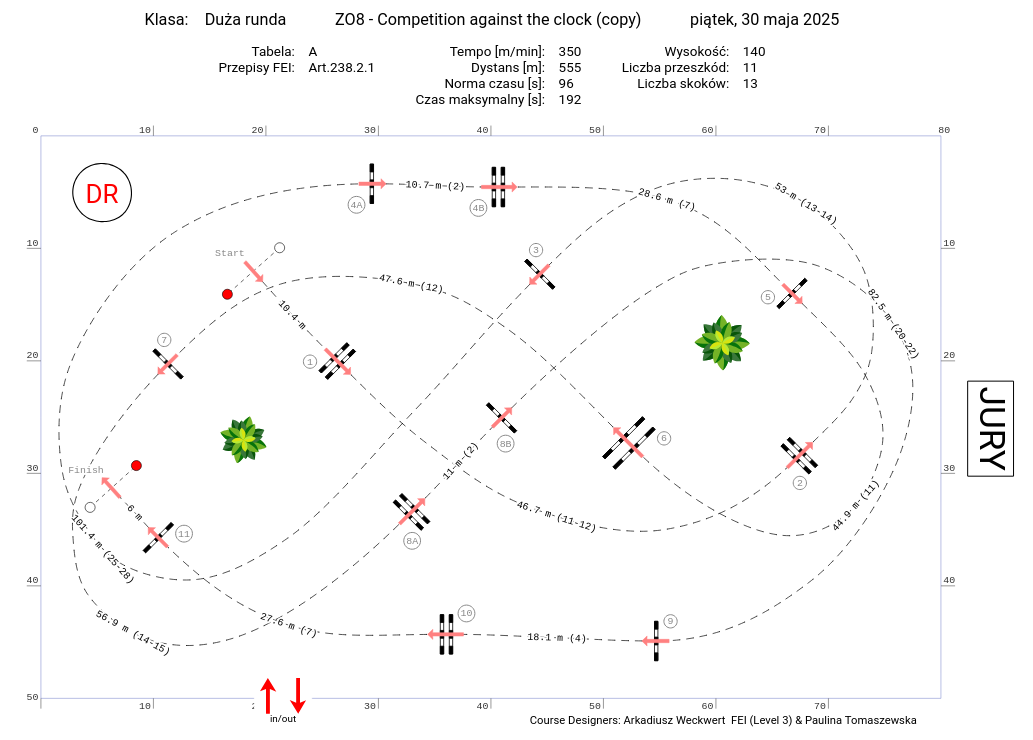
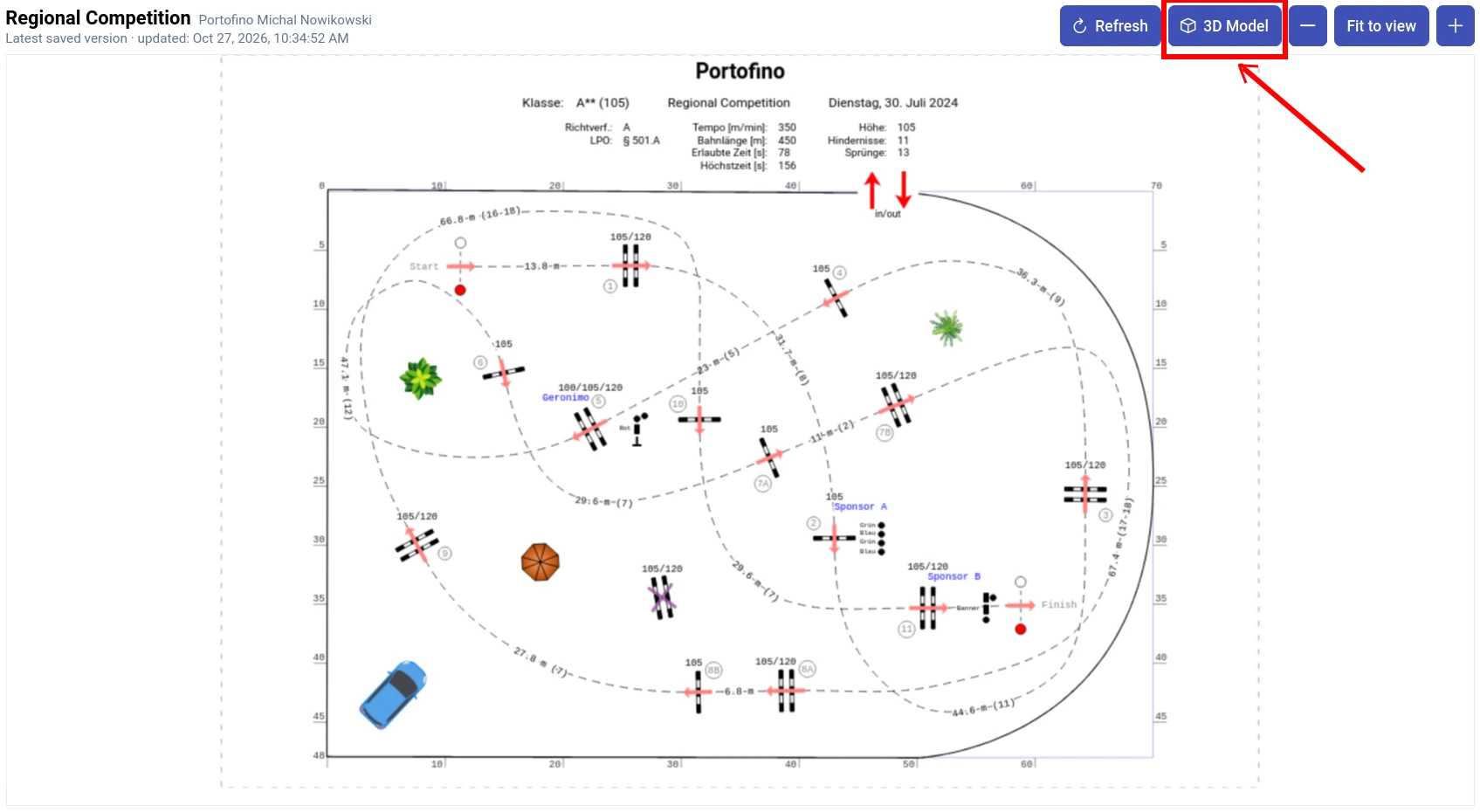
Design a competition course
Position obstacles, connect the route and examine measurements and validation messages.
For discussion: Discuss the plan and explain the design decisions.
Read: Validating the course →Education program for schools and training centers
Bring show jumping course design and training exercises into your lessons. Through an agreed educational partnership, we provide students and trainees with free access to the full Masters plan for the duration of their course.
For course designer courses, vocational equine programs, instructor training and relevant university courses.
Position obstacles, connect the route and examine measurements and validation messages.
For discussion: Discuss the plan and explain the design decisions.
Read: Validating the course →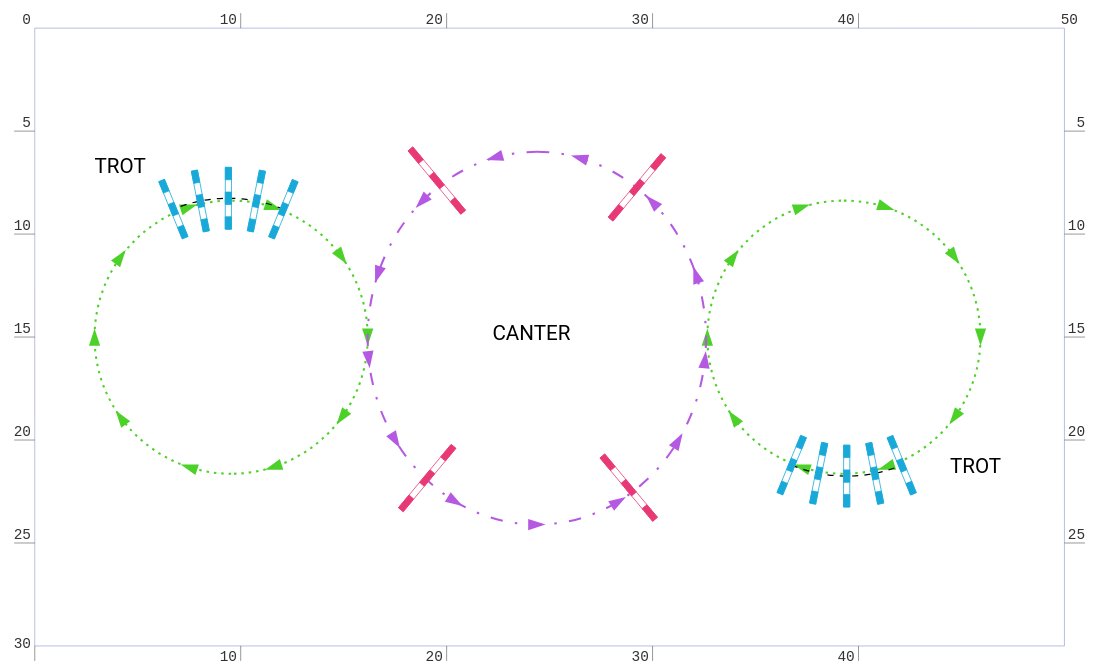
Arrange poles, cavaletti or fences and adapt distances to the exercise brief.
For discussion: Present the layout and propose a variation.
Read: How to build a training exercise →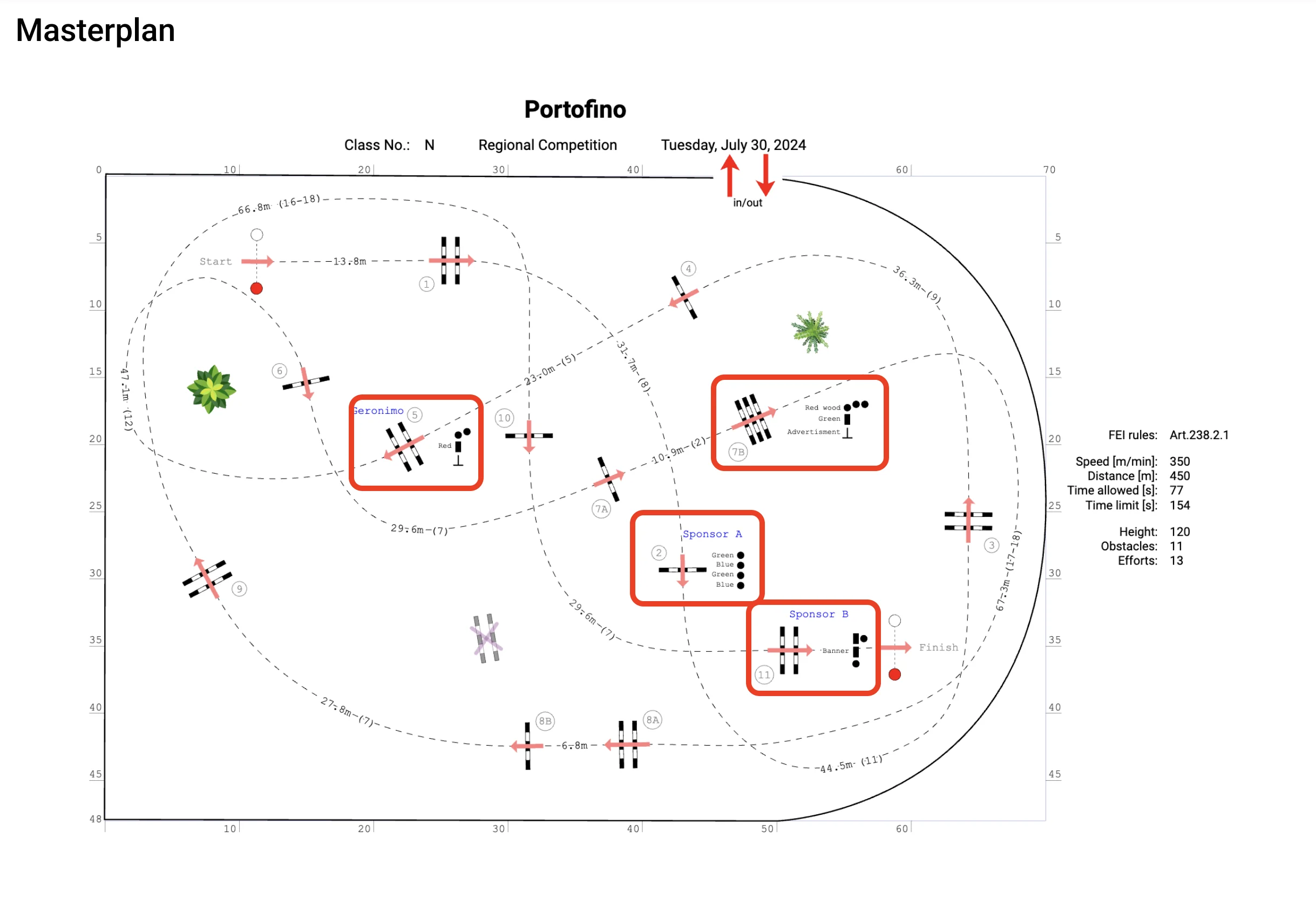
Prepare the plan and documentation needed to set out the design.
For discussion: Use the printed documentation for a group discussion.
View sample documentation (PDF) → Read: Printing a design and saving to PDF → Read: Defining obstacle materials →Compare the plan with a 3D perspective, inspect approaches and ask learners to explain why they chose a line or arrangement. Move the camera together or examine a connected route with an automatic camera.
3D does not simulate how a horse will respond or replace a safety assessment of the course built in the arena.
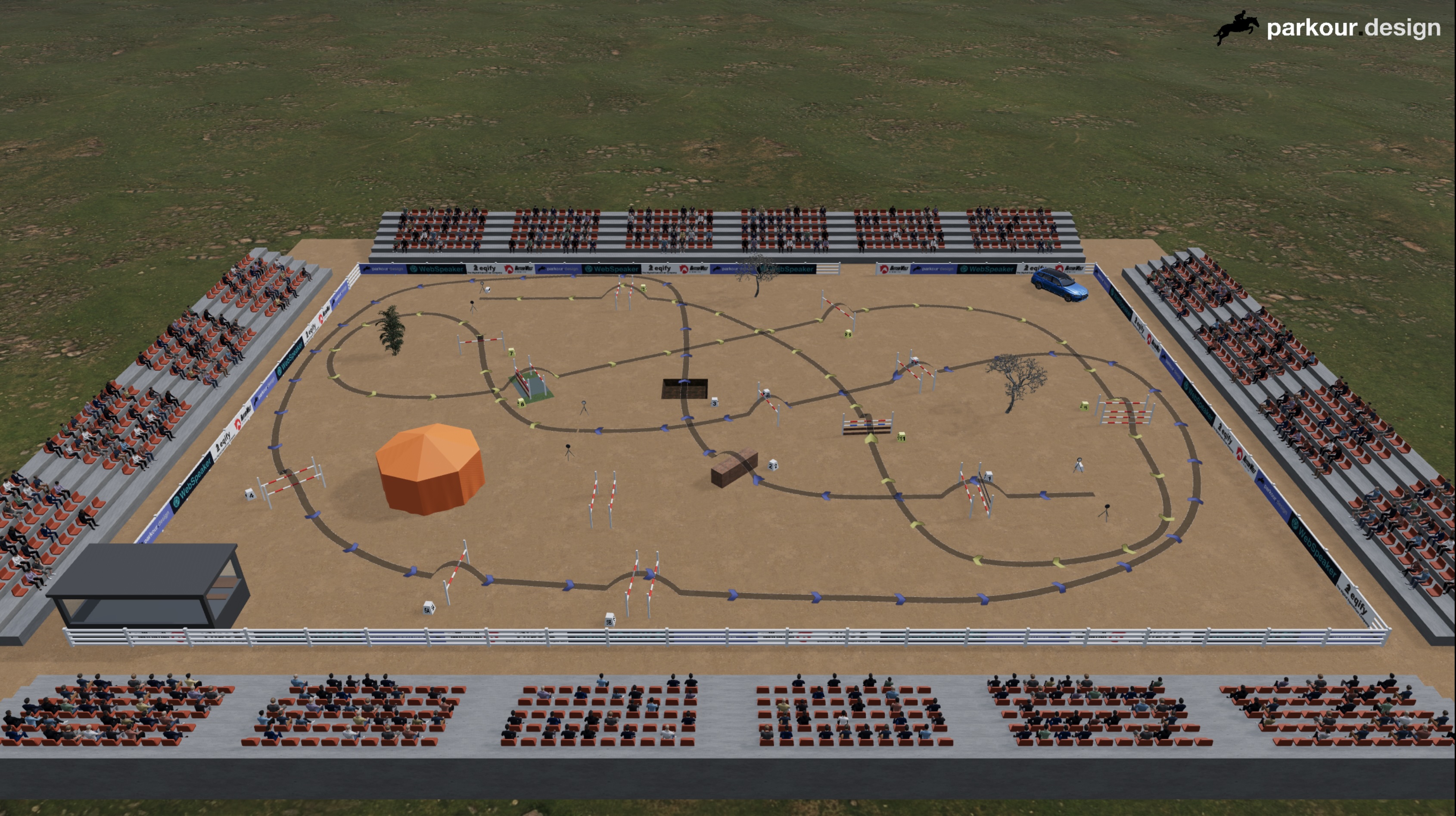
One way to use the application in class: from a shared starting layout to a group discussion, with each participant working on their own account.
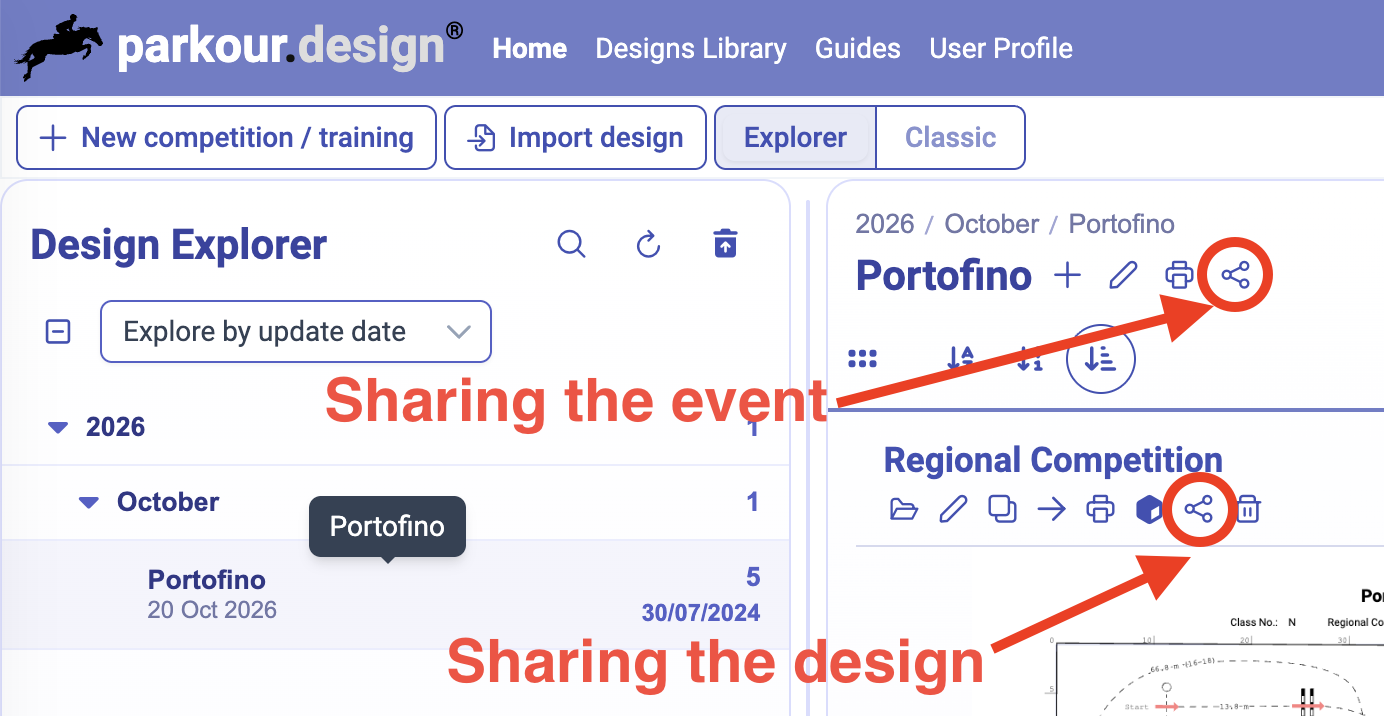
Set the arena size, available obstacles and the group's level. Share a starting layout with Copy enabled, as a fixed version, so everyone gets the same brief even if you keep editing.
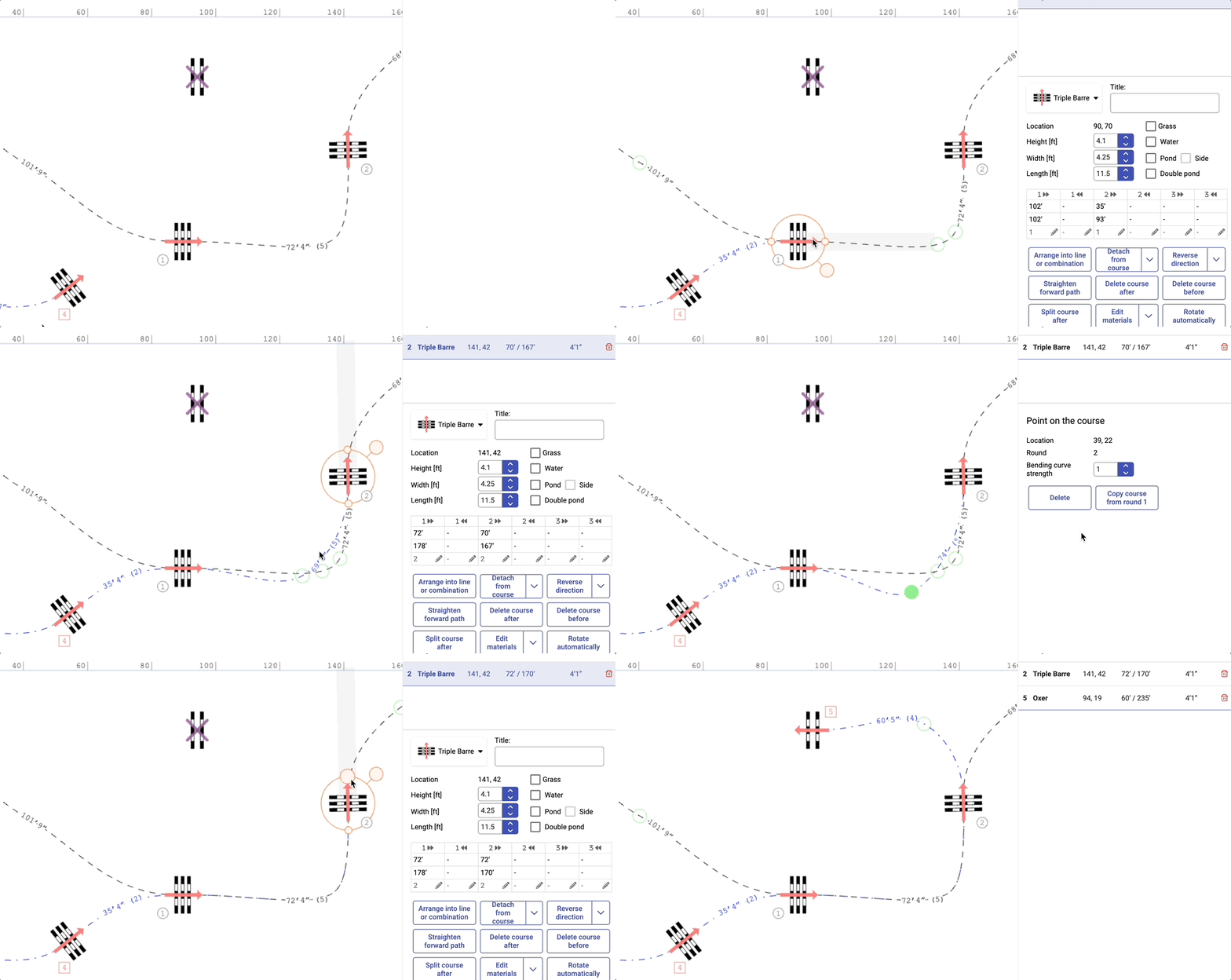
Participants save the layout to their own account and, during the same lesson, develop their own route, riding lines and obstacle arrangement. Your original stays unchanged.
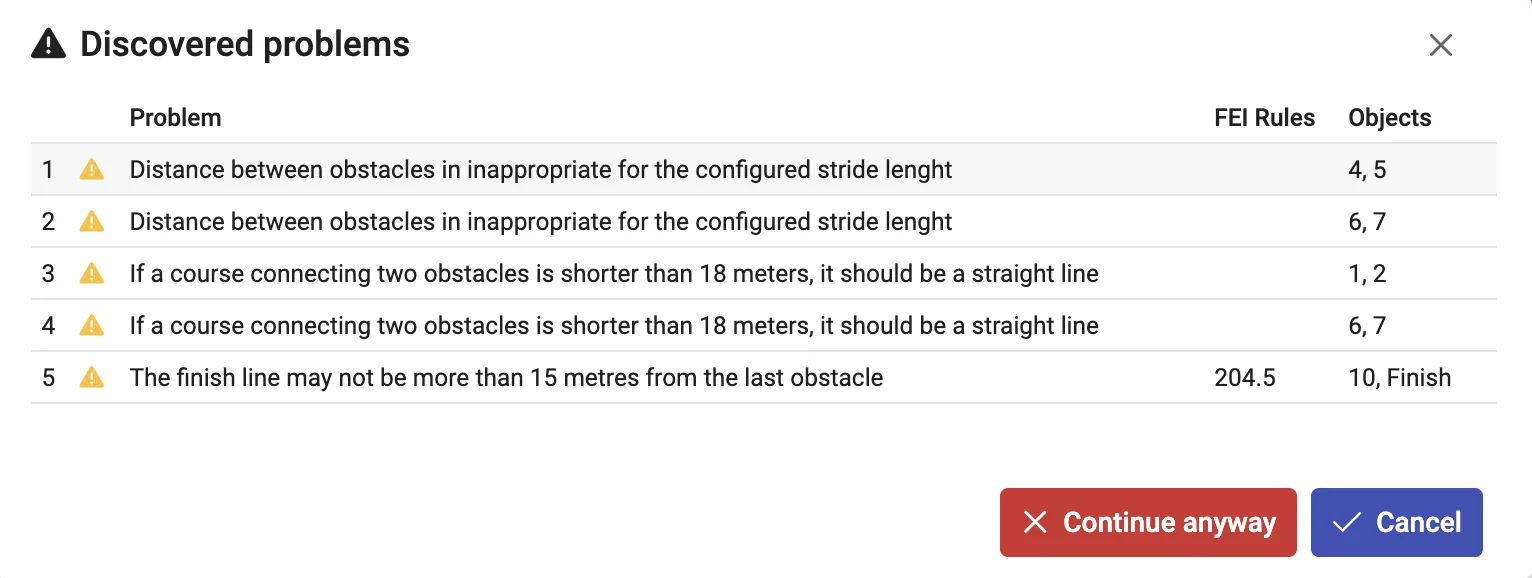
Distance measurements, validation messages and the 3D view from the rider's perspective help participants spot problems themselves before the discussion.
Participants send you share links to their designs. Open them on the classroom screen without signing in, compare decisions, print plans or show them in 3D.
Describe the subject, participant and teacher numbers, dates and needs.
We agree the access period, scope of support and group arrangements.
The school provides the necessary registration details through an agreed secure channel.
Educational access ends automatically on the agreed date.
Tell us about your school, the course, the number of participants and teachers, and the planned dates. Please do not include student email lists or other participant data.
Prefer to talk first? Pick a time in our calendar and we will show you the application and answer your questions.
Book a 20-minute demoWe welcome inquiries from equestrian federations and training centers running course designer courses, vocational and agricultural schools with equine programs, instructor training centers and relevant university programs. Tell us how you intend to use course or exercise planning in your teaching; participation is agreed individually with the institution.
Approved groups receive the full Masters plan without individual subscription purchases by students. We agree the course dates with the coordinator; educational access expires automatically on the agreed end date. Six months is not a fixed program limit.
Please include the number of teachers in your inquiry. Their access and the scope of onboarding support need to be agreed before the course starts; we do not yet publish standard terms for teacher accounts.
No previous experience with the application is needed. The guides walk through each feature, from building a training exercise to validation and printing, and we agree the scope of onboarding support before the course starts. Distances, difficulty and the brief remain the teacher's professional decision.
Validation checks a design against the selected rules, including FEI and national federations such as PZJ, FN (LPO), FFE, KNHS and USEF, as well as the configured distances and stride lengths. It supports analysis and discussion: it does not grade participants or replace a professional assessment of the course built in the arena.
Each participant registers their own parkour.design account. The application runs in a browser, so participants can also continue at home. Check the planned devices, school network and required features before the first lesson. For 3D, we recommend a desktop or laptop: performance and available controls depend on the device, and older tablets may not have enough memory. Designs can use meters or feet. With a weak or intermittent connection, participants can keep designing offline in a browser where they signed in earlier; changes sync once the connection returns, but share links need the Internet.
No. There is no classroom dashboard for assignments, submissions or grades, and several people cannot edit one design at the same time. Teachers distribute the starting layout and collect work through share links, as described in the lesson workflow; assessment stays with the teacher.
Do not send student email lists with the first inquiry. After agreeing participation, we arrange a secure channel and the minimum data needed to activate access. Before transferring data, the school must inform participants and obtain any permissions required by applicable rules, including for minors. Retention and deletion arrangements must be confirmed before transfer. Access administration is separate from optional marketing communications.
Educational Masters access ends on the agreed date. Participants’ designs remain stored in their accounts and become available again if they subscribe later. Share links stop working when access ends, so before that date participants can save their designs to PDF, including the Masterplan and setup tables, as a portfolio of their work. We can also discuss a continuation offer for the group.
Use the built-in chat or contact us by email. Describe what you were trying to do and include your browser, device and a screenshot if relevant.