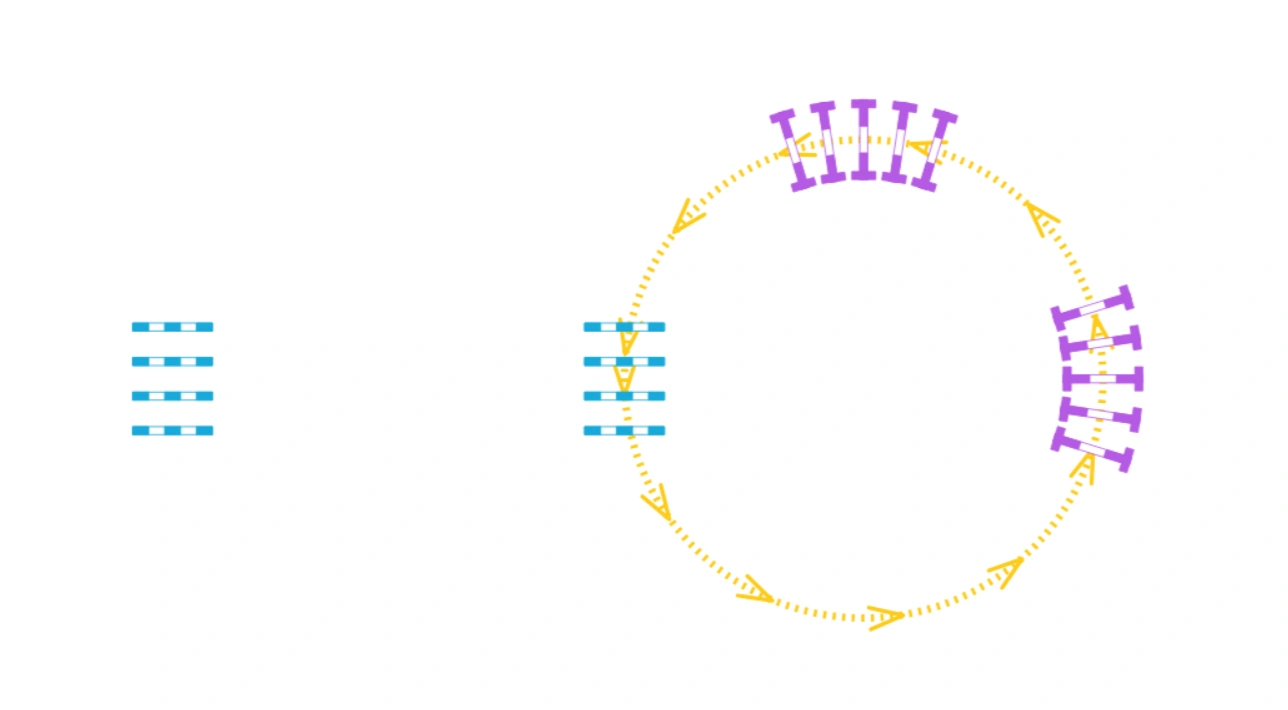
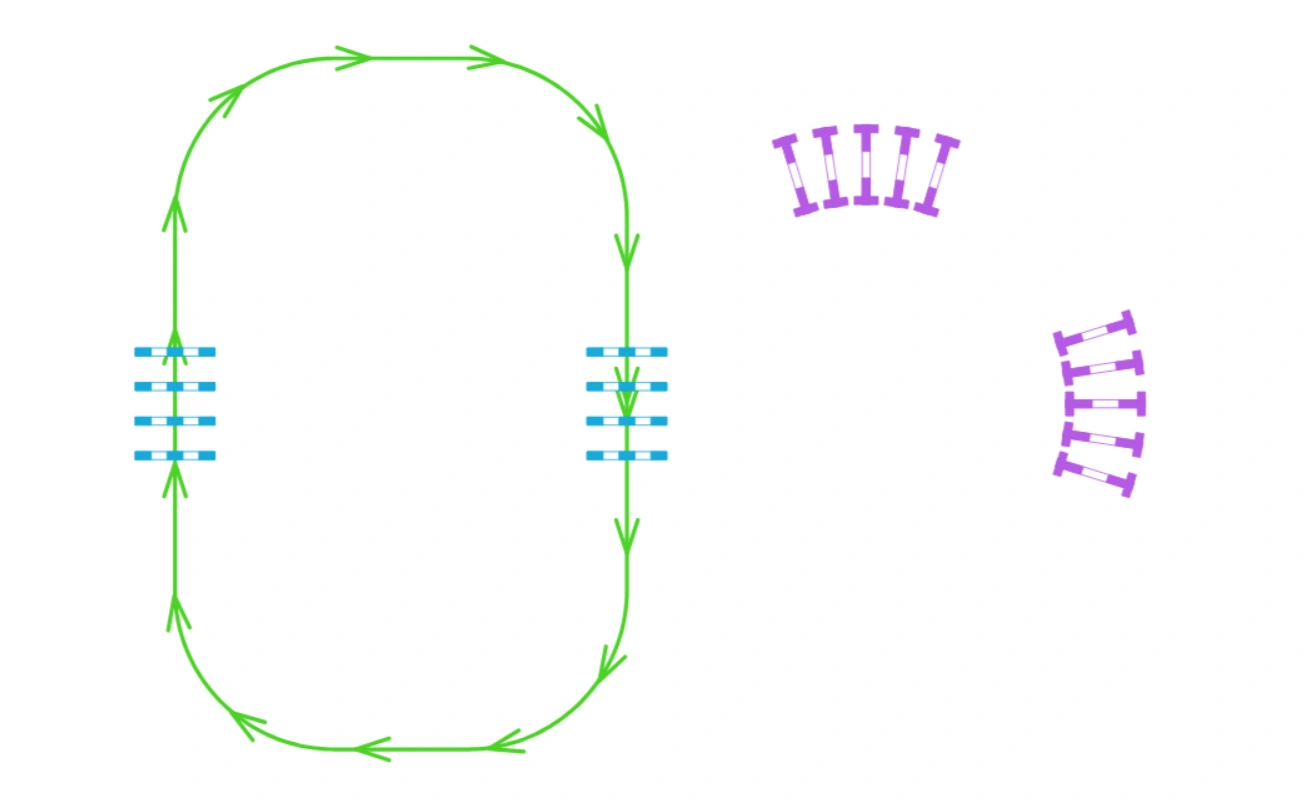
Straight pole rows
Focus on rhythm and straight approaches through both pole rows.
For riding instructors and trainers
Plan your poles, cavaletti and obstacles before the session so you spend less time rearranging equipment in the arena. Show your riders the exercise's riding line and take a clear printed plan to guide the setup.
No credit card required for the free trial.
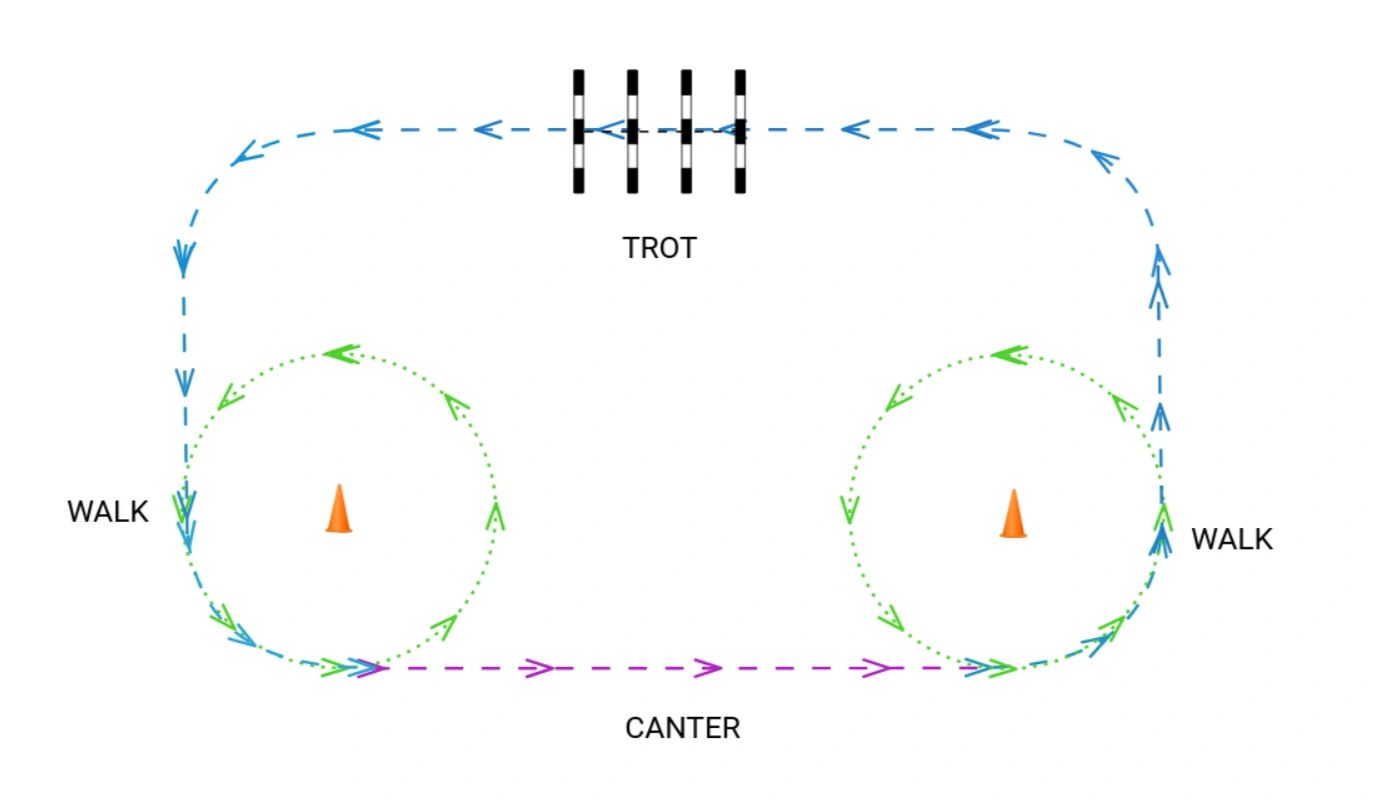
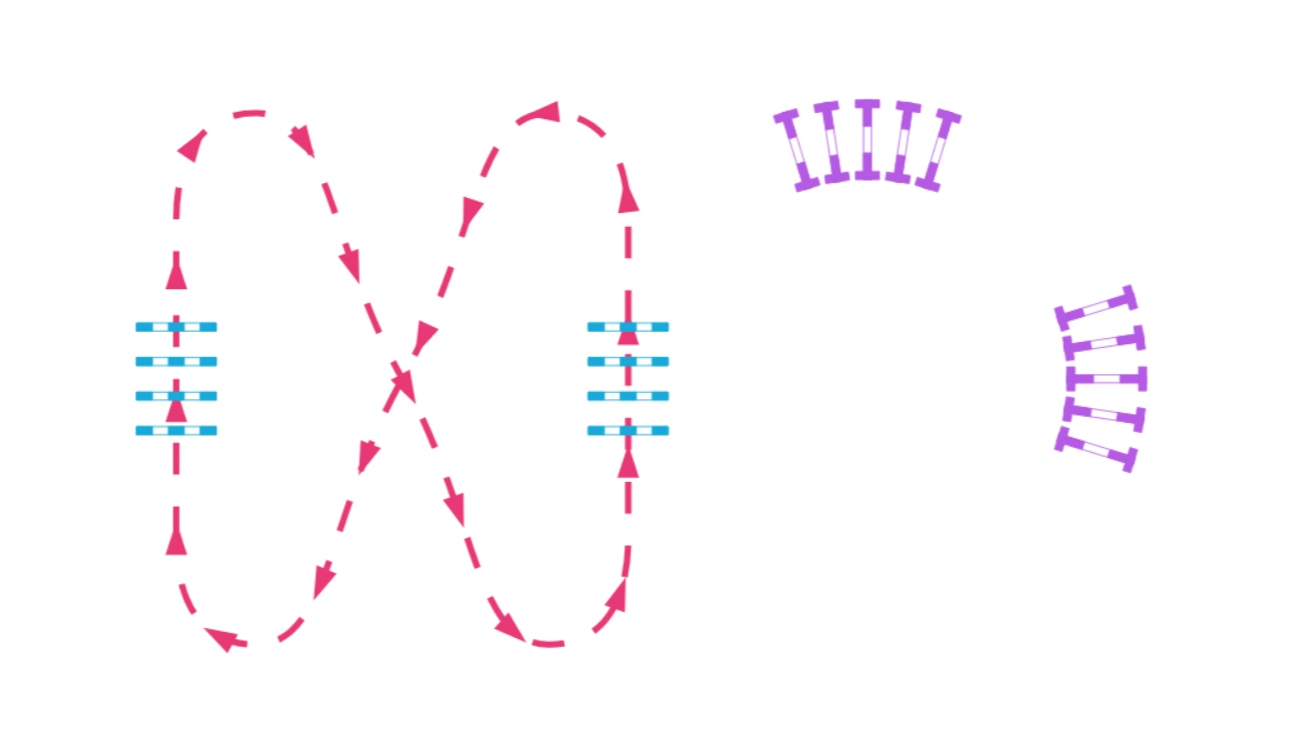
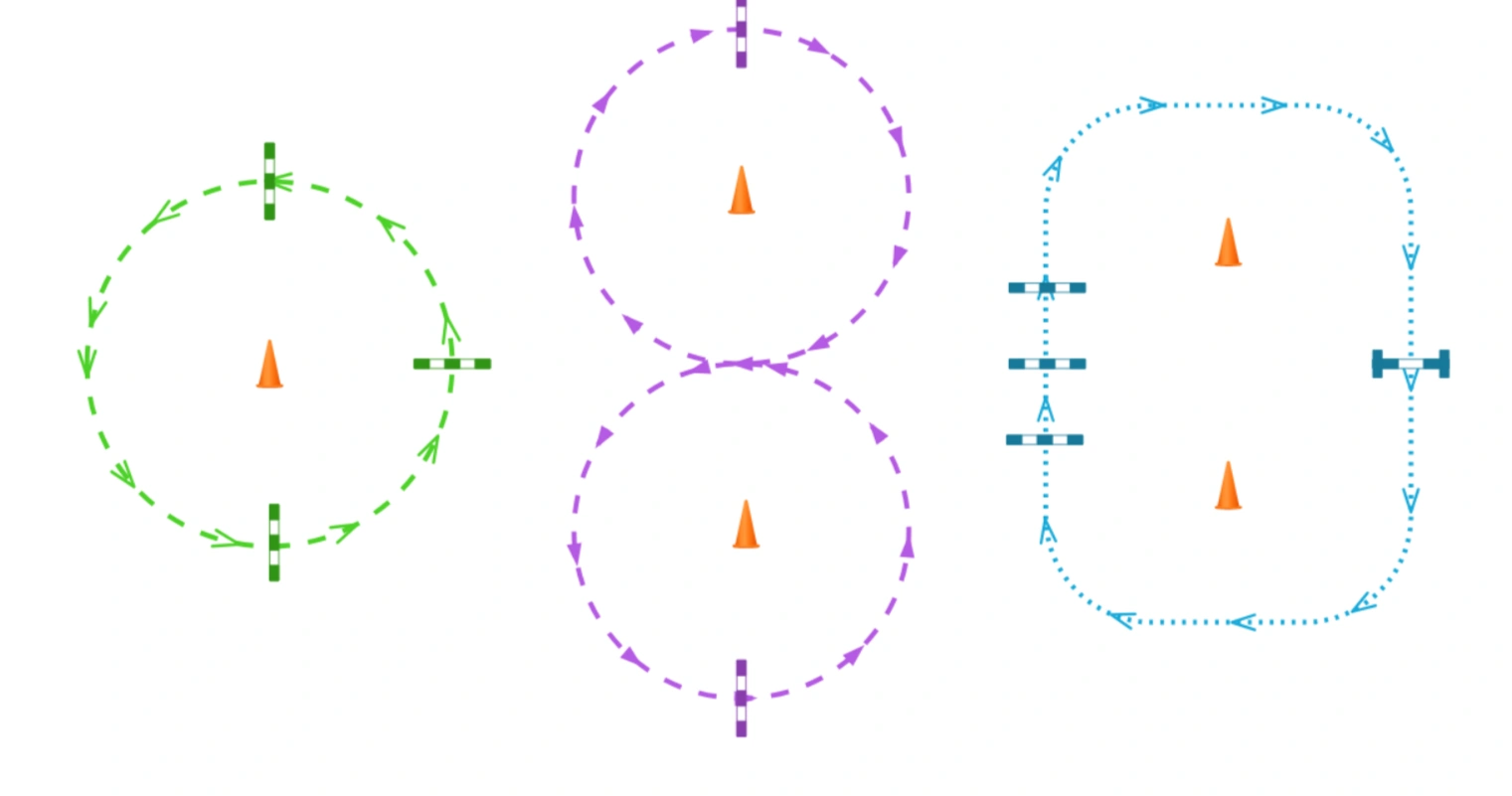
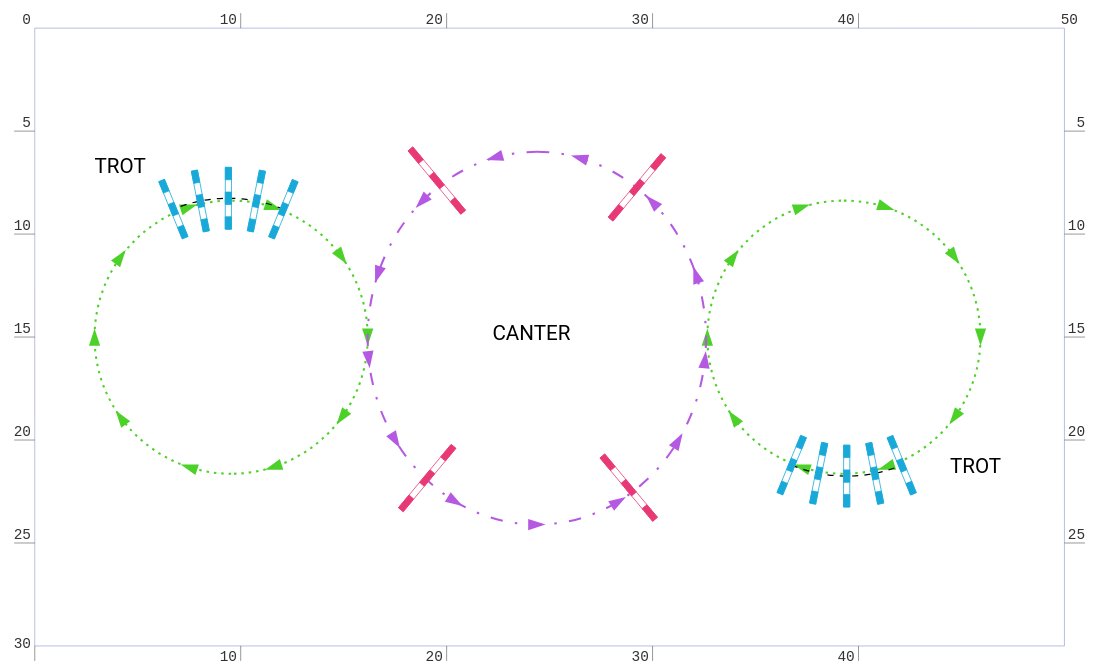
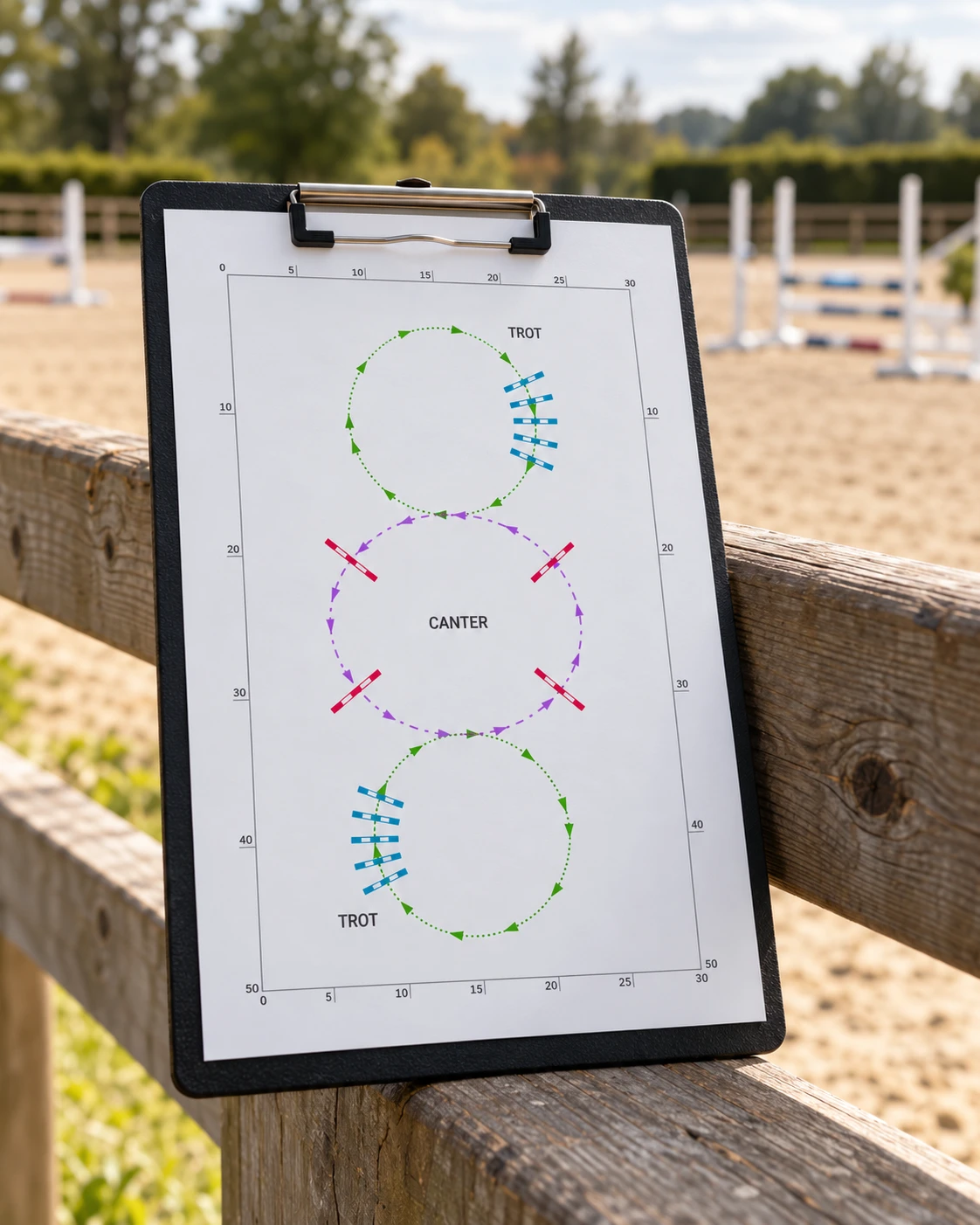
Plan different riding lines on the same setup, using colors and arrows to distinguish them. Compare three variations below without moving the equipment.
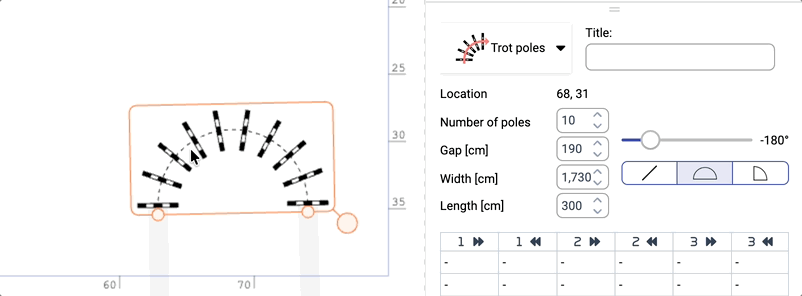
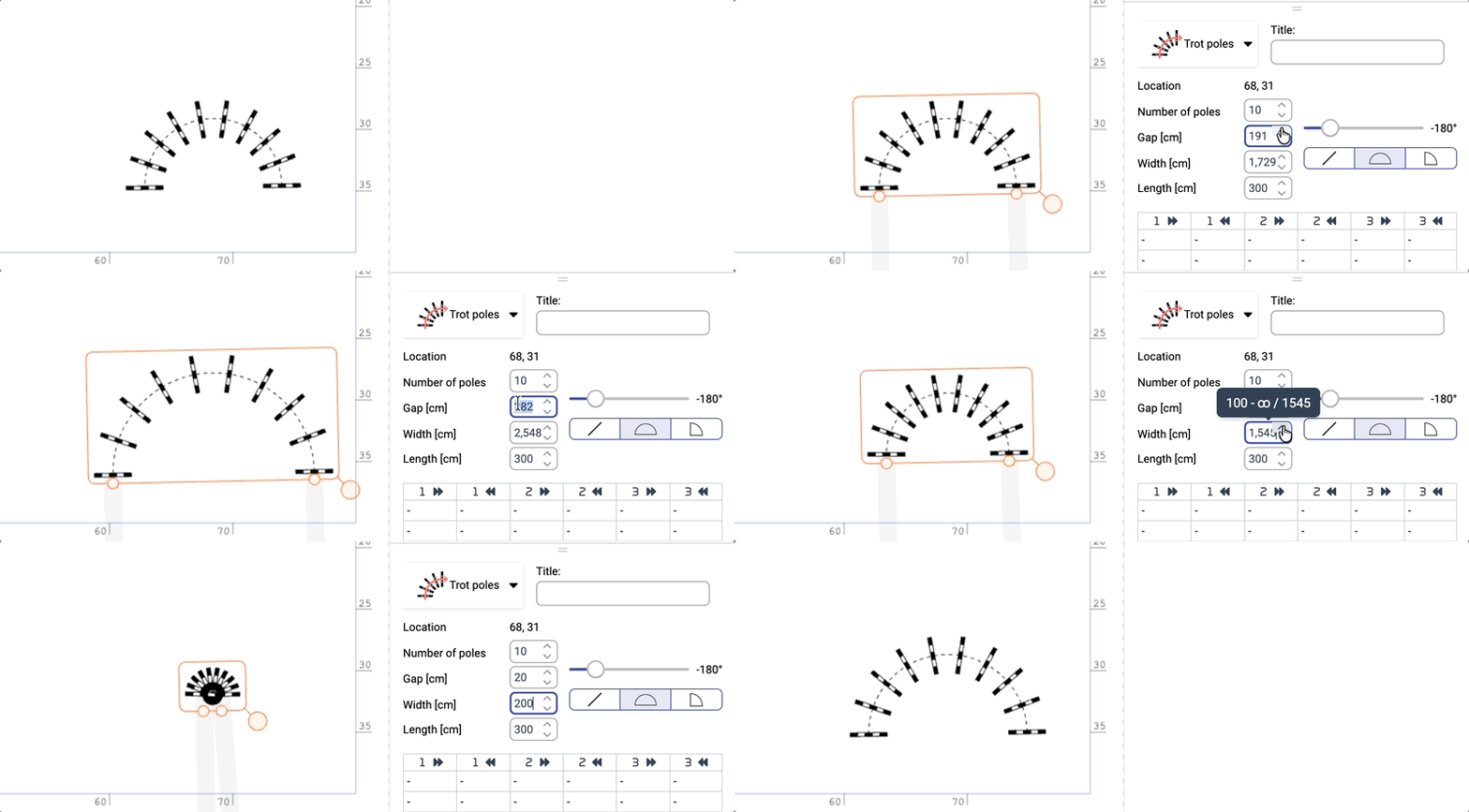
Read: How to build a training exercise →Choose Trot poles or Cavaletti, select the number of poles and set the gap in centimeters — the overall length updates automatically. Change the overall length and the gaps recalculate. Use the Curvature slider in the Object panel to bend the row: distances measured along the arc between consecutive pole centers stay the same. Presets offer a straight line, semicircle or quarter-circle.
Draw riding lines freely with curves and ellipses, using colors and repeated direction arrows. For automatic measurements and route-following cameras, connect obstacles into a track — the connected riding line described in the guides. Freely drawn lines remain separate drawing elements.
Take a clear plan to the arena instead of recreating the exercise from memory. Set up the layout, make the intended riding line readable and export the result for printing.
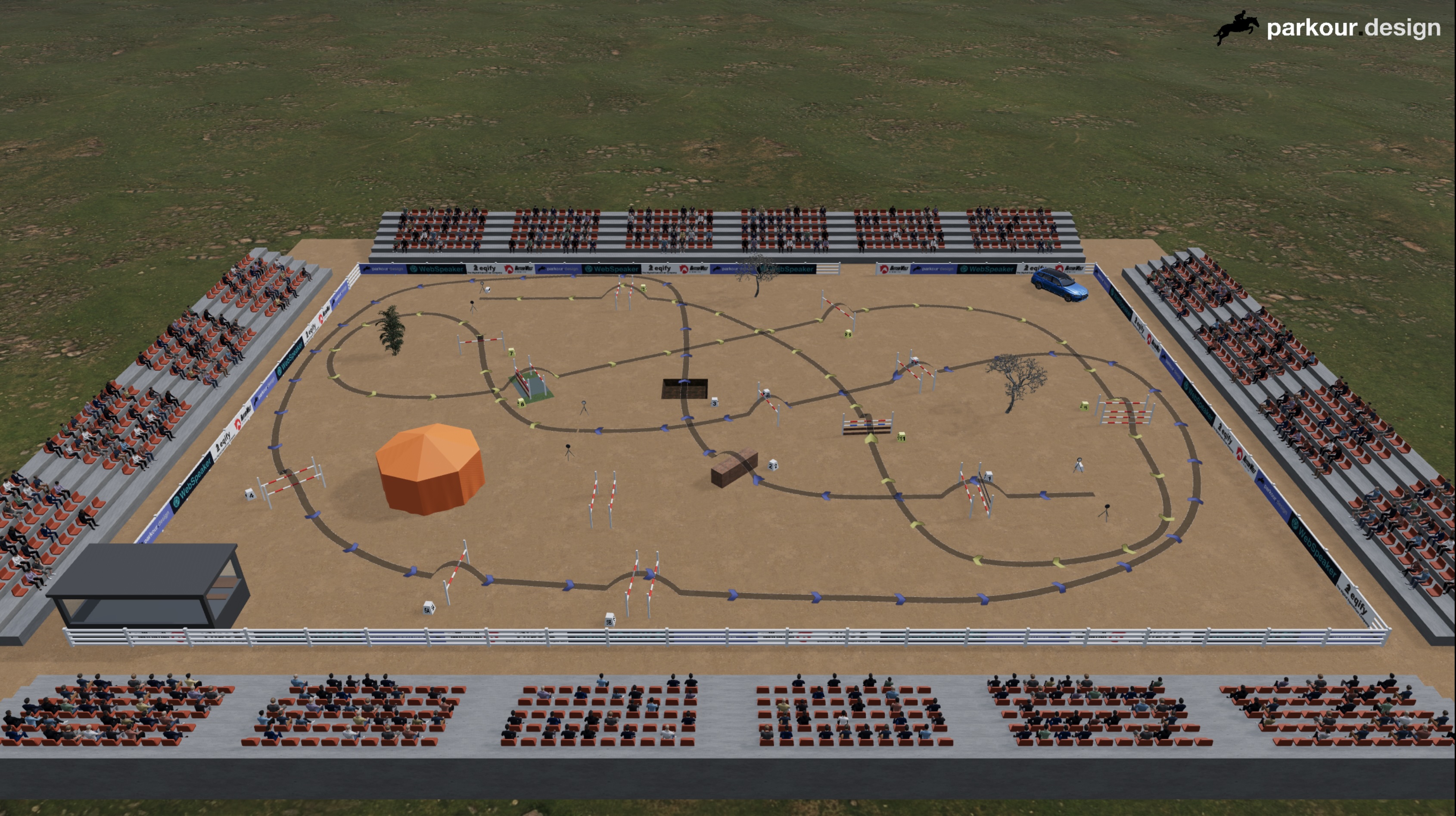
In the 3D view, walk the riding line at ground level with your riders before anyone moves a pole. Compare approaches from above, move the camera freely or follow a connected riding line with an automatic camera.
Create a share link so your riders can view the exercise without signing in. Enable Print / PDF for the person setting out the poles. You choose what recipients can do; they cannot change your original project.
Read: Sharing designs and events →Export a video from the 3D view to explain the exercise before riders arrive. Choose a ready-made format for YouTube Shorts, Instagram Reels, TikTok or Facebook Reels, then send the file or upload it to your yard's profile.
Read: 3D Visualization →“I am not a professional track designer, but thanks to this service, I was able to fulfill my dream of creating my own track on our premises.”

Stable owner
Advanced includes exercise planning and printed plans. Choose Masters to work offline at the yard when signal is patchy; open the projects you need on the same device and browser while online first.
14.99 EUR per month
149.99 EUR per yearSave over 15%
24.99 EUR per month
249.99 EUR per yearSave over 15%
No. You can plan an exercise using only ground poles, cavaletti, cones and riding lines. Jumping obstacles and a competition format are not required — the three variations above use the same pole and cavaletti setup.
No. Parkour Design helps you draw, measure and explain your plan. It is not a prescribed training program and does not automatically select suitable distances or difficulty. The instructor chooses exercises and values appropriate to the horse and rider.
No. Training courses and standard printed plans are available in Advanced and Masters. Masters adds offline work, the materials editor and extended documentation. Choose it if you need those extras, rather than for access to training layouts themselves.
Choose monthly or annual billing. Payments are handled by Paddle; parkour.design does not store your card details. Listed prices exclude VAT, which is calculated at checkout according to your country.
Yes. Open Profile → Subscription plan and use the Paddle Customer Portal to cancel. Access continues until your subscription ends. Your saved designs remain stored and become available again when you reactivate your subscription.
The 14-day trial expires without you needing to cancel it. Your saved arena layouts and course designs stay in the database. An active subscription is needed to continue designing; your saved projects become available again after you subscribe.
Your designs are private: only the author can access them in their account. You can sign in with the same account on different devices to access your own projects.
The application runs in a browser and supports touch controls, but compatibility and comfort depend on the device. Older tablets may not have enough memory. For 3D we recommend a desktop or laptop: mobile devices may run slowly, become hot or close the browser tab. A keyboard and mouse provide the full navigation and camera-capture workflow.
Yes. Work in meters or feet. The competition table language can be selected independently of the application interface language, so you can prepare a plan for a competition in another country without changing your working language.
Use the built-in chat or contact us by email. Describe what you were trying to do and include your browser, device and a screenshot if relevant.
No credit card required for the free trial.