Setting competition parameters
Competition parameters are the important settings that determine how the automation of the design process works: calculations of the distances and times, validation of the course and to some extent how the editor functions.
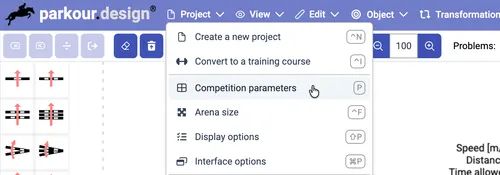
When you created a design, you already chose the basic settings: Competition type, Class no and Rules. These selections populate the default parameters for the competition. When you need to set or correct the parameters like obstacle heights, spreads and other more detailed course options, choose Competition parameters command from the Project menu or press the default keyboard shortcut P.
General
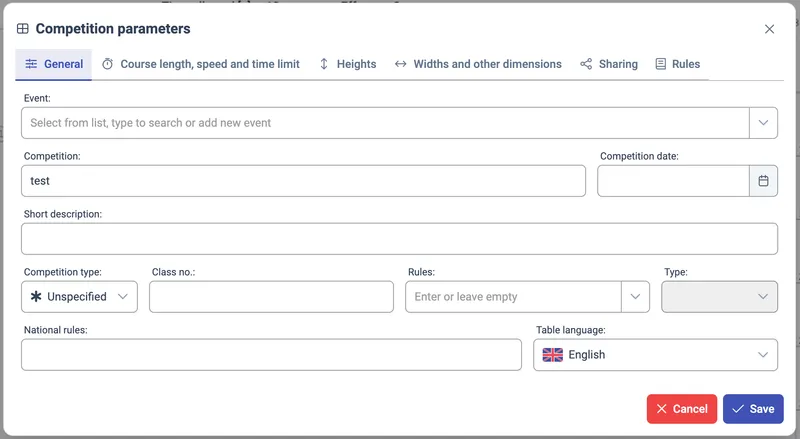
Event
Event groups several competitions and their designs, take a look at the events and designs page to read about their relation.
To choose an existing design, start typing a part of its name or click on the arrow to display a dropdown list of existing events. Click on one of the displayed events to select it. You can also type in a new name that does not exist yet. When you save the parameters, the new event will be created.
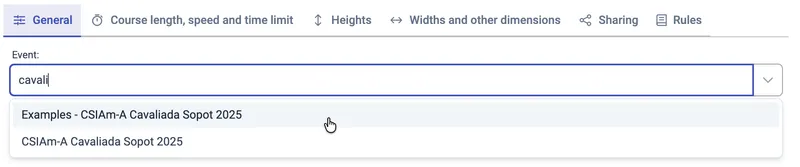
You can also leave event empty. In that case a design will be standalone and won’t be associated with any event.
Competition
Competition is the main name / title of the competition and its design.
Competiton date
Competition date is a specific day on which the competition for this design is going happen.
Short description
Short description is a field where you can put extra notes about the competition.
Competition type
Competition type defines the federation by which rules the competition will be run, for example FEI, USEF, … The full list of supported federations is presented on the validation page.
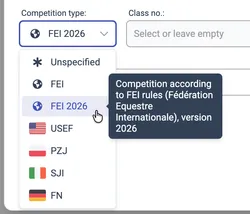
The lists available for further fields: Class no and Rules depend on the selected federation. If you are designing for a federation that is not on the list, choose Unsupported. This will allow you to enter a free text in the other fields, but the application will not know the specific set of course parameters you need. You will need to enter all parameters manually on other tabs of the dialog.
Class no
Class no contains a list of competition classes available for a selected Competition type / federation. Each class has a specific set of rules and limits about the obstacle heights, spreads, numbers of certain obstacles or efforts, distance and other items.
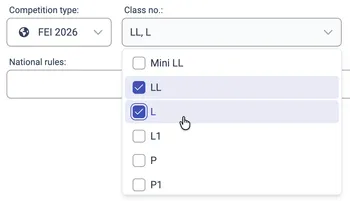
It is possible to choose more than one class, if your design is suitable to cover them all. The application will automatically disable the selection of classes which are fundamentally incompatible with the classes selected so far. The rules and limits of the multiple selected classes will be merged into a sinlge set of super rules, based on the strictest values. You will also have a possibilty to set separate heights for each of the selected classes.
If you want to use a different set of classes than is available, leave the Class no empty and put the class name in other fields, for example Short description or Competition. Then set the class parameters manually. As an alternative you can choose the Competition type to Unsupported and then enter the Class no manually as free text.
Rules
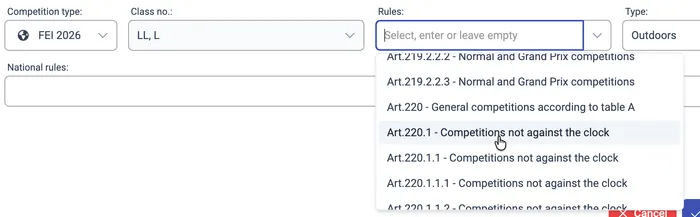
Rules select a specific clause or paragraph from the federation’s rules book, based on the selected Competition type. This selection will impact the way the design validation works, as the details of the rules are programmed into the application.
Type
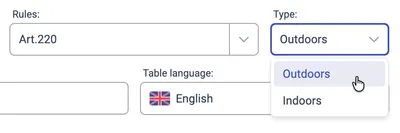
Type can be Outdoors or Indoors and may impact the rules and limits that the Class no determines.
National rules
National rules is an optional field where you can add any other rules that are important for the competition. It is an informational field that will be visible on the competition table on the design.
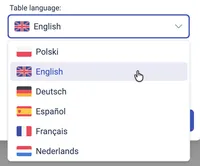
Table language
Table language defines the language of the competition table that can be shown on the design. It can be selected separately to the application language, because you may be designing for competitions in different countries, while keeping the same application language. Table will usually support more languages than the application user interface.

Course length, speed and time limit
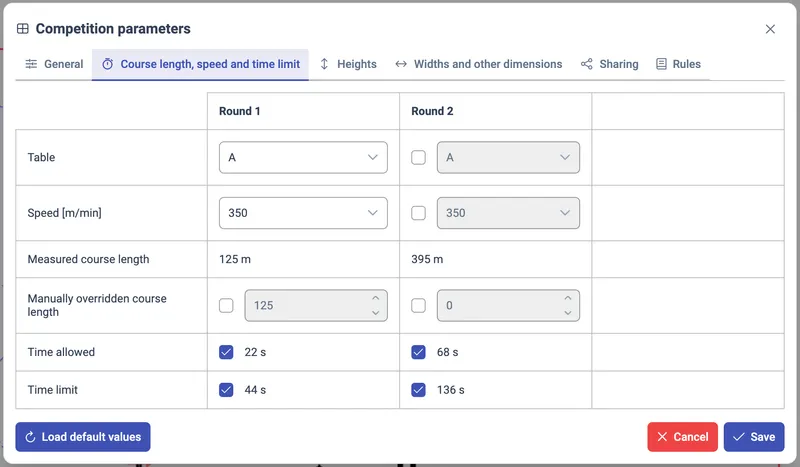
This tab presents the configuration of the competition tables, speeds and times. It also allows fine-tuning the course distances. These parameters are organised in a table, per competition round. It shows only the rounds that currently exist on the design. By default, the non-primary rounds follow the configuration of the primary round. You have abilty to override these settings for each round separately.
Table
The table defines the detailes of the competition jugding. Available table options depend on the selected Competition type (federation).
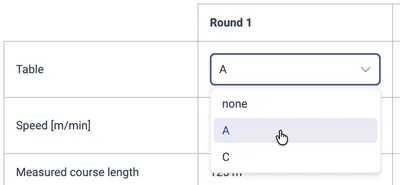
The table selection may be disabled and a specific table enforced by the application. This can happen when selected Rules article enforces the specific table. If you need a different table, first change the selected Rules.
The selected table will impact if and how Time allowed and Time limit are calculated.
Speed [m/min]
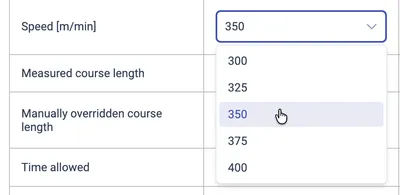
Speed can be selected from a dropdown list of values allowed for the selected Competition type, Class no and Type (outdoors/indoors). If you need more selections of available speeds, unset these parameters to reveal the unrestricted set of speeds.
Measured course length
Measured course lenght is an informative field of the distance of a particular round as measured in the current course design. It is rounded up to 5 meters if metric units are chosen.
Manually overridden course length
Manually overridden course length allows for setting an arbitrary value as the round distance instead of the current real course length on the design. If this value is set, it will be used for time calculations and it will be presented on the competition table.

Time allowed
For general competitions (e.g. FEI Table A), the time allowed is calculated by dividing the round’s distance (Measured course length or Manually overridden course length) by Speed.
When the selected Class no, Rules or Table indicate that the Time allowed is not applicable in the competition, the value will be crossed out and the checkbox next to it disabled. You can manually enable or disable whether Time allowed is used in the competition by using the checkbox.

Time limit
Time limit for general competitions is calculated as a double of the Time allowed. Based on the selected Rules or Table, the Time allowed may be enforced to a predefined set of values.
When the selected Class no, Rules or Table indicate that the Time limit is not applicable in the competition, the value will be crossed out and the checkbox next to it disabled. You can manually enable or disable whether Time limit is used in the competition by using the checkbox.

Heights
Heights tab allows for setting the default obstacle height in the competition. A separate value can be set for each class selected in the Class no field. You can change the height value within the range allowed by the rules / limits of the class and federation.
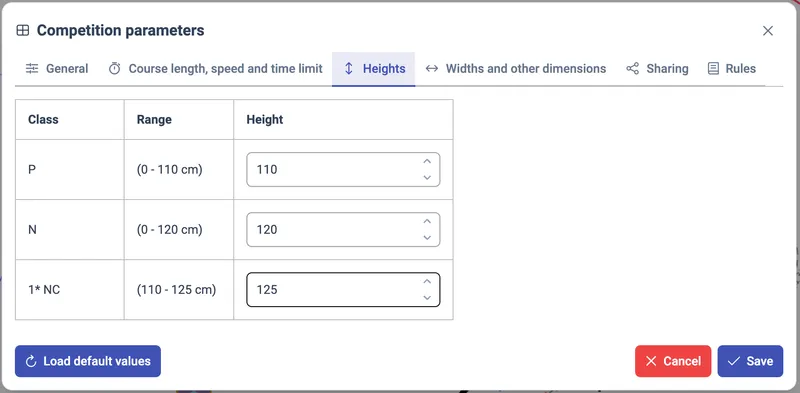
The heights of all classes will be displayed in the competition table.

All vertical, oxers and triple-bars will have the default height as defined here. In 3D visualisation the highest configured value will be used. It is possible to override the default height for each obstacle by selectng the obstacle and setting an individual value in the Object panel.
Widths and other dimensions
Spread and length of obstacles
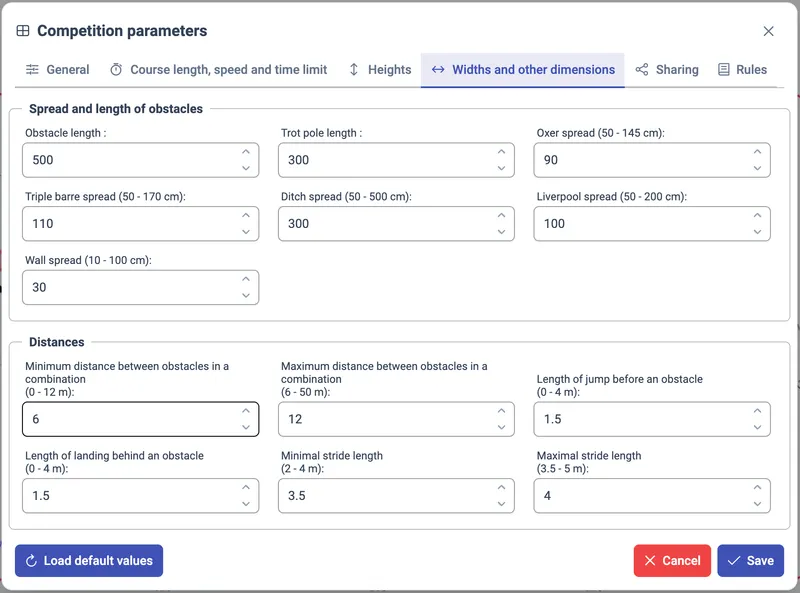
Spread and length of obstacles tab contains the default dimensions of obstacles. The range of allowed values is presented in the input box label. These ranges as well as the default values depend on the selected Competition type (federation), Class no and Type (outdoors/indoors).
| Obstacle length | The default length of all obstacles except the training obstacles (trot poles and cavalleti). The length is the dimention measured along the obstacle’s poles. |
| Trot pole length | The default length of the training obstacles (trot poles and cavalleti). The length is the dimention measured along the obstacle’s poles. |
| Oxer spread | The default spread of all oxers. |
| Triple barre spread | The default spread of all triple bars. |
| Ditch spread | The default spread of all ditches. |
| Liverpool spread | The default spread of all liverpool obstacles (verticals with water enabled). |
| Wall spread | The default spread of all walls. |
Distances
Distances tab contains parameters that define how combination obstacles are handled and how the possible strides between obstacles are calculated. If you need unusually wide or narrow combinations, adjust the combination parameters here. If you think the application calculates strides too restrictly or incorrectly, or you design for non-standard horses, like ponies, adjust the jump/landing and stride range here.
| Minimum distance between obstacles in a combination | If two obstacles standing in a line are closer to each other than this value, they won’t be classified as a combination. |
| Maximum distance between obstacles in a combination | If two obstacles standing in a line are closer to each other than this value, they won’t be classified as a combination. |
| Length of jump before an obstacle | The distance between the point of horse’s take-off and the first pole of the obstacle. |
| Length of landing behind an obstacle | The distance between the last pole of the obstacle and the point of horse’s touch-down behind the obstacle. |
| Minimal stride length | The length of the shortest stride the horse can do. |
| Maximal stride length | The length of the longest stride the horse can do. |
The number of strides is calculated in the following way:
- First the run distance is calculated by subtracting Length of landing behind and obstacle and Length of jump before an obstacle from the distance between the last bar of the first obstacle and the first bar of the second obstacle. This gives the flat distance the horse has to run between the two obstacles.
- Then the minimal number of possible strides is calculated as the run distance divided by Maximal stride length. The maximal number of possible strides is calculated as the run distance divided by Minimal stride length.
- The range of possible strides between the obstacles is between the minimal and maximal number of possible strides.
- Because the minimal length is used for maximal strides and vice versa, there will be certain ranges of distances which the horse won’t be able to make no matter what, assuming it can only do strides from the configured range. When distances on the design fall into these forbidden ranges, a warning will be added and the distance will become red (unless it is disabled in Display options).
Sharing
On the Sharing tab you can configure whether the design is Private (accessible only by you) or Public (accessible by any user). The design sharing feature is not completely ready yet, please refrain from changing this settings for now.
Rules
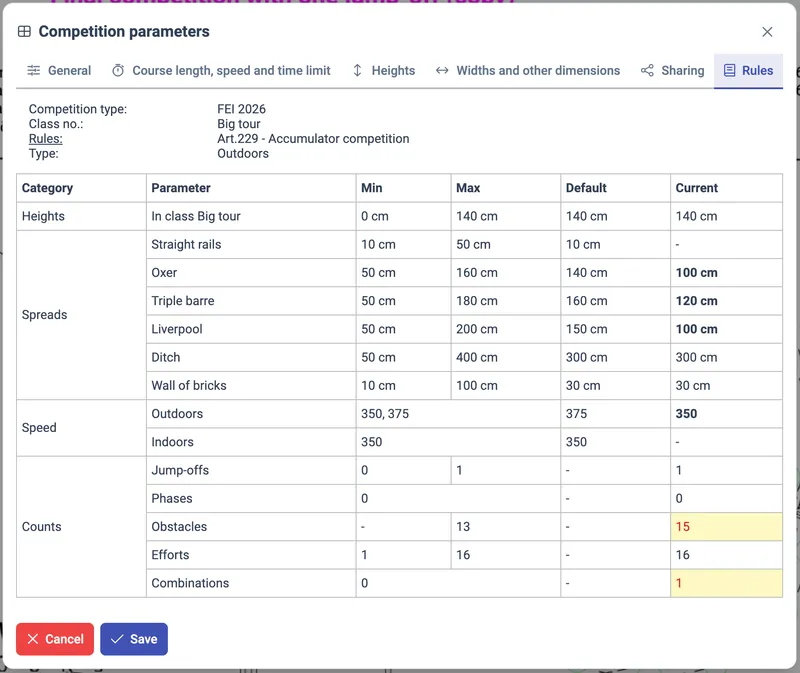
Rules tab presents in one table all limits / ranges as defined by the regulations of the selected Competition type (federation), Class no, Rules and Type (outdoors/indoors), compared to the currect values in the design.
Values displayed in bold indicate that the current value in the design is different to the default value defined in the regulations - most probably one of the Competition parameters has been adjusted manually.
Values displayed in red on yellow background indicate that the current value in the design is outside of the allowed range defined by the regulations.
Looking at the Rules tab you can quickly spot where your design violates the allowed parameters defined by the regulations of the competition and where you changed the paramaters from the defaults.